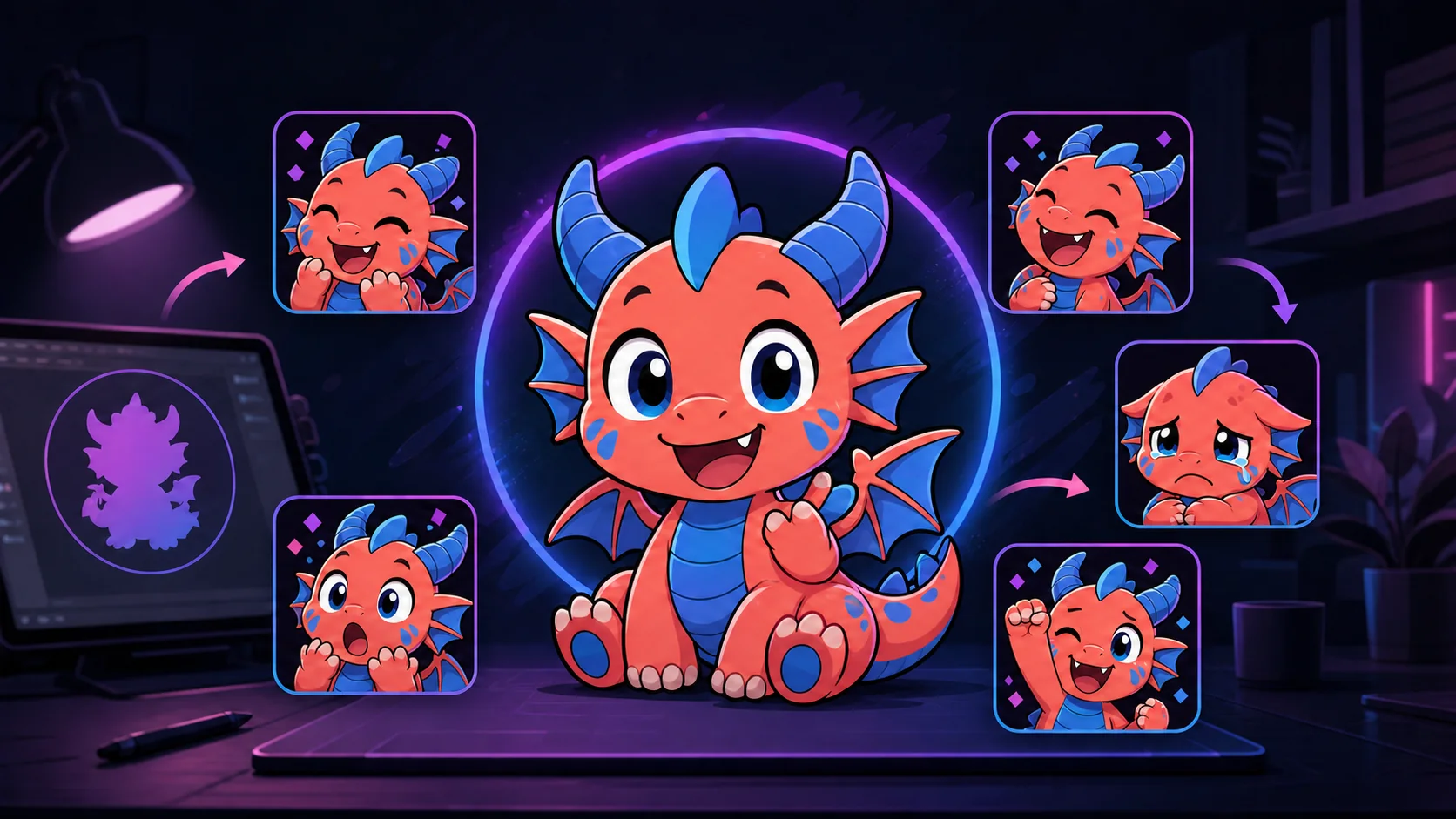
How to Turn Your Stream Mascot Into a Complete Emote Pack
Define a mascot's recognizable features, build a balanced reaction list, preserve consistency, and export a pack that reads in chat.
Short answer
Turn a stream mascot into an emote pack by locking three to five recognizable features, choosing reactions with different chat jobs, and redrawing each one for a tight square crop. Start with five static emotes, test them at 28 pixels on dark and light backgrounds, then animate only the reactions whose meaning improves with movement.
Last reviewed: 2026-08-02
A complete pack is not the same mascot making the same face beside five different props. It is a small communication system. Each emote should answer a moment in chat—arrival, laughter, support, tension, celebration, or rest—while still looking like the same character.
The fastest reliable approach is to establish a compact character bible, plan the reactions before drawing, and approve each design in the smallest preview. That keeps consistency decisions out of the final export rush.
Lock the mascot’s recognition anchors first
Choose features a viewer can identify after the art is reduced. A distinctive horn curve, split ear color, cheek patch, forehead tuft, or high-contrast collar is more useful than detailed scales or fabric stitching. Write the anchors down and place them on a neutral front-facing master.
Separate fixed features from flexible ones. The species, major colors, eye shape, and signature markings should usually stay fixed. Limb position, mouth shape, accessory, and crop can change to serve the reaction. This gives the artist room to exaggerate without accidentally redesigning the mascot.
- Fixed: silhouette, core palette, face markings, eye language, and outline style.
- Flexible: pose, prop, crop, mouth shape, tears, impact shapes, and temporary effects.
- Optional: one signature accessory that remains readable in most reactions.
- Remove: texture and costume details that merge into noise at 28 pixels.
Recognition test
Cover the emote’s eyes and mouth. If the remaining silhouette and color blocks no longer identify the mascot, strengthen one fixed anchor before building the rest of the pack.
Plan a balanced first pack
Begin with reactions that cover different conversational needs. The five below create a practical starter set; expand only after you can point to a chat moment that the next emote will improve.
| Emote job | Visual direction | When chat uses it |
|---|---|---|
| Hello | Open face and one large waving paw | A viewer arrives or welcomes someone |
| Laugh | Closed smiling eyes and a bold open mouth | The stream produces a funny moment |
| Hype | Raised fists, bright eyes, compact upward pose | A win, reveal, goal, or raid lands |
| Support | Mascot hugs a single oversized heart | Chat thanks, reassures, or appreciates someone |
| Panic | Wide eyes, raised hands, strong diagonal energy | A tense, surprising, or chaotic moment |
| Lurk next | Eyes and ears peek above one simple edge | A regular stays present while stepping away |
Create consistency without copy-and-paste poses
Use the neutral master as a measurement guide, not as a tracing template. Keep the same distance between key facial landmarks and repeat the approved palette, outline weight, highlights, and shadow direction. Then let each pose establish a different silhouette. A pack feels more alive when the laugh leans forward, the panic rises, and the lurk compresses low in the square.
Limit props to objects that carry meaning. A heart explains support; a mug can explain a break; confetti can clarify celebration. A random controller, headset, and sparkle cluster in every image only steals space from the face.
- Place every approved emote on one contact sheet at the same displayed size.
- Use a shared swatch set instead of sampling colors from compressed exports.
- Repeat one eye-highlight and mouth-line system across expressions.
- Vary the outer silhouette enough that viewers can distinguish emotes before seeing details.
- Keep directional lighting consistent unless a special effect is the point of the reaction.
Make each mascot reaction survive Twitch chat
Work large, but review small throughout the drawing. Twitch’s current manual static workflow uses square 28, 56, and 112 pixel images, while auto-resize accepts one larger qualifying square source. A large master does not guarantee a clean result: thin horns, tiny pupils, narrow gaps between paws, and soft edge effects can collapse during reduction.
Create a 28-pixel contact sheet on both charcoal and near-white backgrounds. If two reactions look identical, change the pose or crop before adding detail. If an outline disappears on one theme, add an outer keyline or adjust the edge value. If the prop hides the mouth, enlarge or move it.
| Small-preview problem | Practical correction |
|---|---|
| Eyes become dots | Enlarge eye shapes and simplify highlights |
| Hands merge with face | Open the negative space or shift the gesture |
| Horns disappear | Thicken the base and preserve the outer silhouette |
| Two reactions look alike | Change head angle, pose height, or dominant prop |
| Edge vanishes on chat | Add a contrasting outer keyline and retest both themes |
Choose animation after the static pack works
Animation should amplify an existing reaction rather than rescue unclear art. A two-beat bounce can improve hype, a short shake can sharpen panic, and a gentle heart pulse can reinforce support. Hello, lurk, or a clean utility reaction may be stronger as a still image.
Twitch’s current animated-emote guidance allows an auto-resize GIF or three manually sized GIFs and sets limits for file size, frame count, and flashing. Check the official requirements when exporting. Also choose a readable first frame because the first frame is the default static thumbnail unless a custom thumbnail is supplied.
- Animate one dominant element instead of moving the entire drawing in several directions.
- Make the loop readable with animation disabled or paused on the first frame.
- Avoid rapid flashing and test the exported loop at its actual displayed size.
- Keep the static master so the pack can be reused where animation is unavailable.
Workflow: mascot master to finished emote pack
Step 1
Make a one-page character bible
Record the fixed silhouette, palette, markings, facial proportions, accessory, outline, and lighting rules.
Step 2
Assign each emote a chat job
Write a compact starter list before sketching. Remove duplicates that would be used in the same moment.
Step 3
Thumbnail distinct silhouettes
Sketch every reaction as a tiny black shape. Give each pose a different height, direction, or dominant object.
Step 4
Draw one benchmark emote
Finish the most representative reaction first and use it to approve line weight, crop, color, and facial language.
Step 5
Build and compare the set
Finish the remaining reactions on one contact sheet. Correct identity drift before exporting individual files.
Step 6
Preview, export, then animate selectively
Check 28, 56, and 112 pixel results on dark and light backgrounds. Animate only the keepers that gain meaning from motion.
Make your first version free
Make your first mascot emote free
Upload one clear mascot image and build a single readable reaction for free. Use that result to approve the crop and identity rules before committing to the complete pack.
Make your first mascot emote freeRelated MakeEmoji guides and tools
Sources checked
Frequently asked questions
How many emotes make a complete mascot pack?
There is no universal count. Five distinct reactions are enough for a coherent first pack: hello, laugh, hype, support, and panic. Add lurk, sad, celebrate, or channel-specific reactions only when each has a separate chat job.
How do I keep a mascot consistent across emotes?
Create a small character bible with fixed silhouette, colors, markings, facial proportions, outline, and lighting. Compare every emote on one contact sheet rather than approving files one at a time.
Should every mascot emote use the same crop?
No. Keep the character identity consistent, but change crop and pose to clarify the reaction. A face crop can suit laughter, while hype may need fists and support may need room for a heart.
Should I make static or animated mascot emotes first?
Start static. If the expression and silhouette are unclear at 28 pixels, motion will not fix the design. Animate selected keepers after the static pack passes the small-size test.
Can I make an emote pack from a mascot logo?
Yes, if you have the rights to modify it and the mark can support expressions. Preserve the recognizable silhouette and palette, then simplify brand details that are too small for chat.


