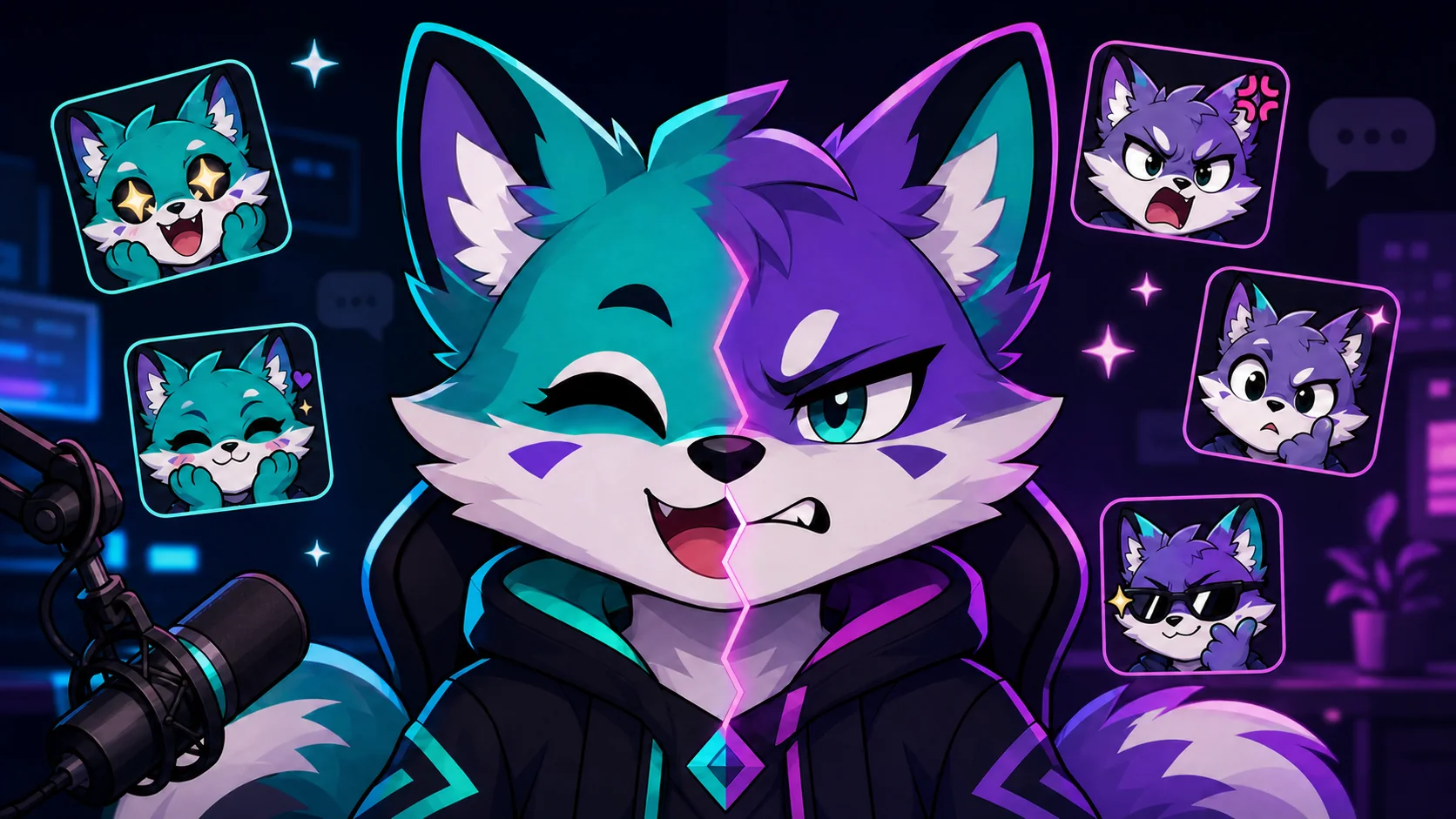
PNGTuber Expressions vs Twitch Emotes: What’s the Difference?
Separate on-stream PNGTuber states from chat emotes, then reuse the same identity with different crops, poses, files, and interaction goals.
Short answer
PNGTuber expressions are on-stream avatar states that react to your voice or a shortcut. Twitch emotes are small, square reactions viewers post in chat. They can share the same character design, but they should not be the same files: avatar states need performance continuity, while emotes need an instantly readable pose and face at 28 pixels.
Last reviewed: 2026-08-02
The easiest way to plan both assets is to separate identity from function. Your identity can stay constant: the same ears, hair shape, jacket, color blocks, and personality. The function changes. A PNGTuber state performs beside your gameplay for minutes at a time; a Twitch emote replaces a short reaction in a fast-moving chat message.
That distinction affects the crop, pose, number of files, and quality test. Design the shared character system once, then produce one on-stream set and one chat set instead of shrinking the avatar art and hoping it works.
PNGTuber state or Twitch emote? Use this decision table
A PNGTuber application may switch between mouth-open, mouth-closed, blinking, and alternate emotion states. An emote is selected or typed by a viewer as a discrete chat reaction. Use the destination and trigger to decide what you are making before you open the art file.
| Decision | PNGTuber expression | Twitch emote |
|---|---|---|
| Primary job | Represent the creator continuously on stream | Let a viewer communicate one reaction in chat |
| Trigger | Microphone activity, blinking logic, or creator shortcut | Viewer selects or types an emote code |
| Composition | Usually a consistent bust or full avatar placement | Tight square crop with one face, prop, or gesture |
| Needed variants | Open and closed mouth, blink, plus optional states | One distinct file per reaction, with static or animated versions |
| Pass condition | State changes feel stable inside the stream layout | Meaning is obvious at the 28-pixel chat preview |
Keep the identity, redraw the communication
Start by naming three to five identity anchors that survive every variation. Good anchors are large and repeatable: a two-tone fringe, triangular cheek marks, a bright scarf, rounded horns, or a particular ear silhouette. Tiny jewelry and fabric texture can disappear from emotes without making the character unrecognizable.
Then exaggerate only what communicates the reaction. A sad PNGTuber state might lower the eyelids and shoulders while preserving the normal camera crop. Its chat emote counterpart can enlarge the tears, compress the body into a face-and-paws crop, and remove most clothing detail. That is adaptation, not inconsistency.
- Lock the same base palette and two or three silhouette markers across both sets.
- Keep PNGTuber states aligned so the character does not jump around when the mouth or mood changes.
- Let emote poses break the normal avatar framing when a hand, heart, mug, or sign carries the reaction.
- Use transparent working files and preserve layered masters before making platform exports.
- Name source files by function, such as avatar-happy-open and emote-hype, rather than final dimensions alone.
One emotion becomes two different deliverables
The same emotional idea should be staged differently for performance and chat. These examples show how to translate an intention without forcing one file to do both jobs.
| Emotion | On-stream state | Chat emote adaptation |
|---|---|---|
| Hype | Bright eyes, open mouth, slightly raised shoulders | Face and fists fill the square; add one bold burst shape |
| Lurk | Calm eyes and a quieter idle pose | Eyes peek above one simple edge, blanket, or monitor |
| Confused | Tilted head while keeping the normal avatar placement | Large uneven eyes and a clear thinking gesture |
| Love | Soft smile with a warm alternate state | Character hugs one oversized heart inside the crop |
| Panic | Wide eyes and a controlled shake or state switch | Tight face crop, raised hands, and a strong diagonal silhouette |
Do not just resize the avatar
A full PNGTuber bust may look polished at stream scale and turn into an unreadable dot in chat. Recompose the emote around one expression, enlarge the eyes and mouth, and remove details that do not explain the reaction.
Design for the smallest Twitch result
Twitch currently supports an auto-resize path from one square static PNG between 112 and 4096 pixels, or manual static uploads at 28, 56, and 112 pixels. The official developer response also identifies the small, medium, and large emote images as 28, 56, and 112 pixels. That makes the 28-pixel view the useful design test even when your master is much larger.
At that size, check the silhouette before judging polish. Temporarily hide color and ask whether the head, hands, and prop still separate. Preview against both a dark charcoal background and a pale background. If the face depends on a thin interior line, strengthen it or simplify the expression.
- Fill most of the square without clipping ears, hair, hands, or an important prop.
- Use one focal expression and no more than one supporting object.
- Separate neighboring colors by value, not only by hue.
- Check static readability before adding motion to a hero reaction.
- Review Twitch requirements again at upload time because platform rules can change.
Organize the shared character kit
Keep a small identity sheet beside both production folders. Include the approved colors, outline treatment, eye and mouth shapes, signature accessories, and a front-facing neutral drawing. For PNGTuber work, add aligned mouth and blink variants for every state you plan to use. For emotes, add a reaction list and a 28-pixel proof beside each approved master.
This separation makes later updates safer. You can add a seasonal avatar outfit without redrawing every emote, or add a raid emote without rebuilding mouth states. The character remains coherent because both sets refer back to the same anchors rather than to each other’s final export files.
Workflow: build the avatar and emote set from one identity
Step 1
Write the shared identity anchors
Choose the few shapes and colors that must appear in every version. Favor large silhouette cues over tiny costume detail.
Step 2
Finish one neutral avatar state
Establish the stream crop and canvas position, then create aligned mouth-open, mouth-closed, and blink artwork for the state.
Step 3
Choose chat intentions
Start with useful reactions such as hello, laugh, hype, lurk, and love. Give each emote one clear job.
Step 4
Redraw for a square crop
Enlarge the face, hands, or prop. Keep the identity anchors, but remove details that do not survive the small preview.
Step 5
Preview at 28 pixels
Check every candidate on dark and light chat backgrounds. Revise the silhouette before spending time on finish or animation.
Step 6
Export separate deliverables
Keep PNGTuber state files and Twitch upload files in distinct folders, with layered masters and clear version names.
Make your first version free
Make one PNGTuber emote free
Start with one avatar image and one clear reaction. Upload it free, find the square crop that survives chat size, and only expand the pack after that first result works.
Make one PNGTuber emote freeRelated MakeEmoji guides and tools
Sources checked
- veadotube: Using veadotube mini
- Twitch: Emote Guidelines and format requirements
- Twitch: How to Use Emotes
- Twitch: Animated Emotes
Frequently asked questions
Can I use the exact same PNG for my PNGTuber and Twitch emote?
You can use the same character and master art, but the final files should usually differ. A PNGTuber state is composed for an on-stream avatar position; a Twitch emote needs a tight square crop and one instantly readable reaction at chat size.
How many images does a basic PNGTuber state need?
It depends on the application. Veadotube mini supports a simple mouth-open and mouth-closed pair, and can also use blinking variants. Multiple states can each have their own image set and effects.
Should every PNGTuber expression become an emote?
No. Convert states that give viewers a useful chat response. A subtle focused state may work on stream but communicate very little as an emote; hello, laugh, hype, lurk, and love usually have clearer jobs.
Do Twitch emotes need three manually exported sizes?
Twitch currently offers auto-resize from one qualifying square source, or a manual path using 28, 56, and 112 pixel files. Manual control is useful when the smallest result needs its own cleanup.
Can PNGTuber emotes be animated?
Yes, if the animation follows Twitch’s current animated-emote format and safety requirements. First make the static frame readable; then use one restrained motion that reinforces the reaction.


