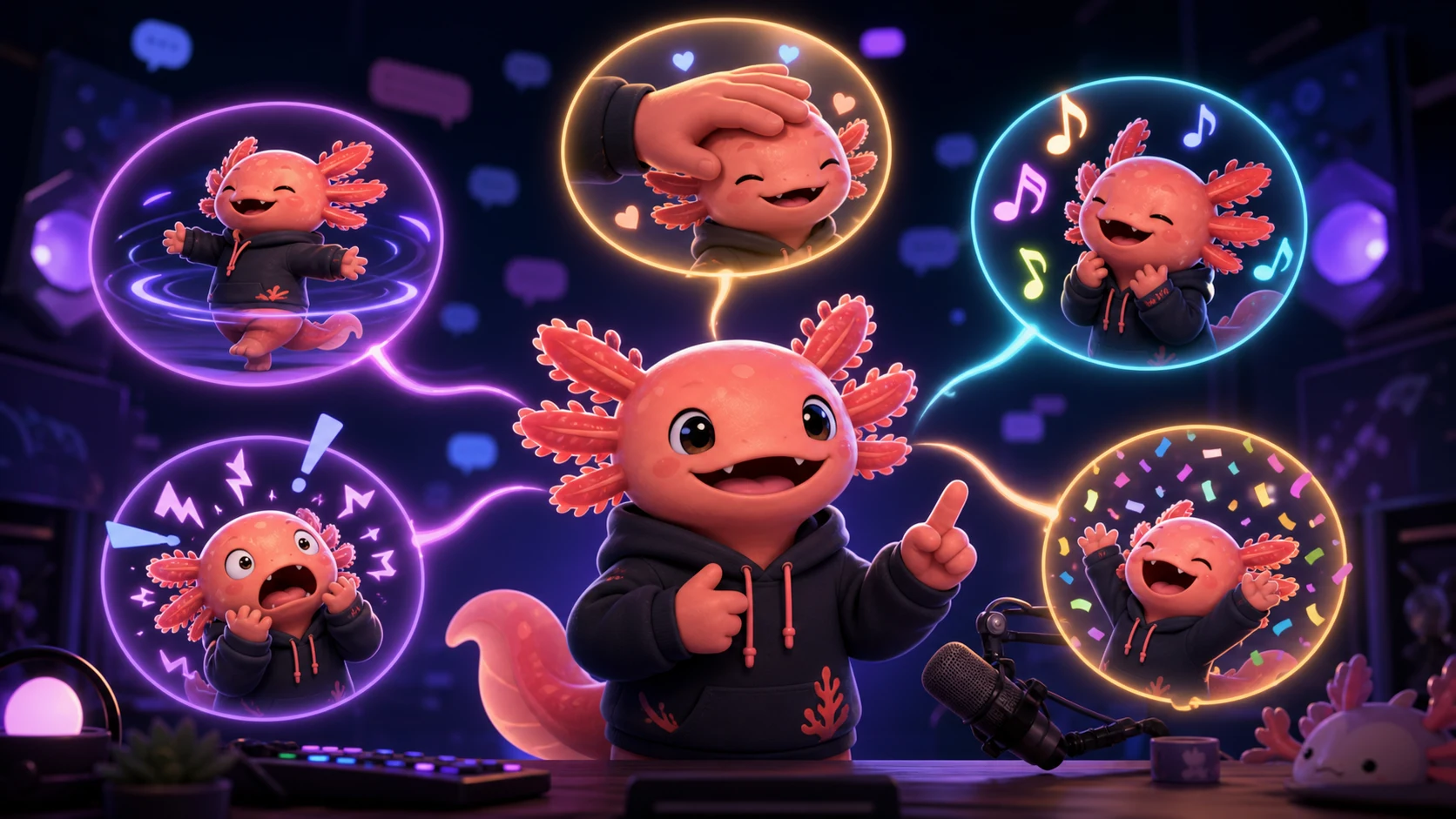
Custom Twitch Power-Ups: 20 Emote and Mascot Reward Ideas
Turn original emotes and mascot reactions into clear Custom Power-Up concepts while keeping setup, moderation, and account access realistic.
Short answer
The best Custom Twitch Power-Ups let a viewer spend Bits to trigger a short, specific moment the streamer can fulfill reliably while live. Build rewards around your own mascot and repeatable stream beats: pet the mascot, trigger a panic reaction, choose the next challenge, reveal an emote sketch, start a victory dance, or pick the raid destination. Confirm that Custom Power-Ups appears in your Creator Dashboard before advertising any reward because Twitch's rollout documentation still uses different eligibility language.
Last reviewed: 2026-08-03
Custom Power-Ups connect payment to participation: viewers use Bits to request a creator-defined reward while the channel is live, and the streamer performs or activates that reward. Twitch's examples include choosing a move, guiding a raid, petting a dog, triggering an overlay, changing a voice, or drawing an emote on stream.
The rollout language needs care. Twitch's May 19 and May 30 announcements describe Custom Power-Ups as launched for eligible monetizing streamers, but Twitch's current creator help guide has also described access as an invitation-only alpha for monetized streamers. Treat dashboard access as the receipt. If the Power-Ups setup surface is not visible on your account, keep these as future concepts rather than promising viewers a feature you cannot configure.
Custom Power-Ups are not Channel Point rewards
A Custom Power-Up is requested with Bits and is designed to affect the live show. Twitch says viewers find enabled rewards in the Power-Ups and Rewards menu, requests activate immediately, and streamers receive the request through their Activity Feed or configured notifications. A Channel Point reward uses the channel's loyalty currency and follows its own approval, cooldown, and availability rules.
Write every Custom Power-Up as a fulfillment contract: what happens, how long it lasts, what information the viewer may supply, when it can be declined or refunded under Twitch's systems, and what the streamer will not do. Do not ask for personal information in a request field; Twitch notes that viewer responses appear in chat.
| Question | Custom Power-Up | Design implication |
|---|---|---|
| What does the viewer use? | Bits | Price against effort and disruption, not against a free loyalty currency |
| When is it requested? | While the channel is live | Create a reward the streamer or moderator can fulfill during that broadcast |
| When does it activate? | The viewer guide says requests activate immediately | Avoid rewards that require extensive screening, preparation, or future delivery |
| What can viewers enter? | Some rewards may collect a short text response that appears in chat | Ask only for safe, non-personal instructions such as a color or emote choice |
| Who has access? | Official launch posts and the current help language are not perfectly aligned | Confirm the feature in the Creator Dashboard before promotion |
Rollout status
Twitch publicly said Custom Power-Ups launched in May 2026, while its creator help guide has described access as an invite-only alpha. This article treats the feature as launched but access-controlled: your own dashboard, not a blog headline, determines whether you can configure it today.
Five quick mascot reaction Power-Ups
These work best as five-to-ten-second overlays, physical mascot actions, or performed reactions. Use an original mascot or art you have permission to animate.
| Idea | What happens live | Mascot or emote direction | Guardrail |
|---|---|---|---|
| 1. Pet the Mascot | A hand pats the mascot three times | Squash, pleased eyes, and two floating hearts | Keep the loop short enough not to cover gameplay |
| 2. Panic Button | The mascot shakes while a brief alert pulse appears | Wide eyes, open mouth, vibrating silhouette | Avoid rapid flashing and startling audio spikes |
| 3. Victory Dance | The mascot performs one signature dance loop | Clear side-to-side pose with confetti finish | Use music and animation you own or are licensed to use |
| 4. Lurk Mode | The mascot hides behind a prop, then peeks out | Large eyes above one simple blanket or bush | Do not obscure important on-screen information |
| 5. Bonk the Broadcaster | A soft cartoon prop taps an avatar or camera-frame mascot | Comedic squash and one star, with no injury detail | Keep the gag playful and within channel conduct rules |
Five Power-Ups that let chat steer the stream
Choice rewards are strongest when the options are bounded before redemption. “Pick one of these three routes” is fulfillable; “make me do anything” is not.
- 6. Choose the Next Challenge: the viewer picks from three safe, prewritten modifiers while a thinking mascot flips to a determined pose.
- 7. Pick the Loadout Color: the viewer chooses a color family or preset, not an unrestricted build that may be unavailable.
- 8. Guide the Raid: the viewer chooses among creator-approved destination channels; Twitch itself cites raid guidance as an observed Custom Power-Up use.
- 9. Name the Next Run: the viewer supplies a short, chat-safe run label that moderators can see, without personal data.
- 10. Mascot Mood Takeover: chat selects happy, suspicious, panicked, sleepy, or villainous, and that expression stays on the overlay for a fixed interval.
Bound every choice
Publish the available options, duration, category restrictions, and skip condition in advance. A menu preserves spontaneity while preventing an immediate Bits request from derailing the show.
Five creator-process and emote Power-Ups
Creative channels can make the work itself the reward. Twitch's official viewer guide even uses choosing an emote to draw on stream as an example of information a request might collect. Keep the deliverable inside the broadcast; do not accidentally promise a private commission.
| Idea | Fulfillment | Visible mascot beat | Scope sentence |
|---|---|---|---|
| 11. Sketch an Emote | Draw one rough reaction thumbnail from an approved prompt list | Artist mascot raises a pencil and blank card | A live sketch, not a polished file or usage license |
| 12. Animate This Reaction | Apply one preset motion to the chosen owned mascot image | Mascot cycles through shake, bounce, or party | Use only channel-owned or licensed source art |
| 13. Palette Roulette | Select one of several prepared color palettes for the current piece | Mascot tosses three large swatches | Creator may reject combinations that harm readability |
| 14. Reveal a Work in Progress | Show a pre-approved crop or development stage for a few seconds | Mascot pulls open a small curtain | No client work, spoilers, or confidential material |
| 15. Add a Tiny Prop | Viewer chooses one prop from a safe menu for the current sketch | Mascot catches a hat, mug, star, or flower | One simple prop; no copyrighted logo or character |
Five community-moment Power-Ups
Community Power-Ups should be recognizable enough that non-redeeming viewers understand why the stream changed. Pair each activation with one clean visual cue and a spoken acknowledgment.
- 16. Hype Burst: a short original mascot celebration, safe confetti, and a spoken thank-you; do not imitate a platform-owned Hype Train interface.
- 17. Compliment the Next Chatter: the streamer delivers a sincere, conduct-safe compliment based only on that viewer's public chat participation.
- 18. Hydration Parade: the broadcaster drinks water while several tiny mascot variants march across the frame for eight seconds.
- 19. Lore Alarm: the streamer tells one short, pre-approved channel-lore fact while the mascot opens a storybook.
- 20. Community Photo Pose: the avatar, VTuber model, or mascot holds a prepared pose long enough for viewers to capture a screenshot; avoid collecting or displaying viewer images.
Price the interruption and test fulfillment
Do not copy another channel's Bits amount without understanding its audience and workload. A five-second mascot overlay, a two-minute gameplay modifier, and a live emote sketch create different interruption costs. Begin with conservative availability and a narrow menu, observe demand and queue pressure, then adjust.
Have a moderator redeem each reward during an unlisted or low-stakes test stream. Verify the request appears where expected, any supplied text is visible to the right people, audio is level, the overlay clears, and you can fulfill simultaneous requests without losing track. Keep a plain-language fallback for technical failure.
| Risk | Before launch | Live response |
|---|---|---|
| Reward queues too quickly | Set limited availability or a higher amount after testing | Acknowledge requests in order and communicate delays |
| Viewer text is unsafe | Use predefined choices whenever possible | Follow Twitch moderation and reporting tools; do not repeat it aloud |
| Overlay fails | Prepare a manual mascot reaction or sound-free fallback | Fulfill the defined fallback and note the failure |
| Reward affects another player | Avoid promises that depend on a non-consenting participant | Substitute a creator-controlled alternative |
| Copyright or music issue | Use original or licensed art, audio, and animation | Skip unlicensed material rather than improvising it |
A six-step Custom Power-Up launch workflow
Step 1
Verify feature access
Check Creator Dashboard for Custom Power-Ups. Because Twitch's rollout language differs between official pages, do not schedule around the feature until it appears for your account.
Step 2
Choose one repeated stream beat
Start with a moment viewers already request, such as petting the mascot, picking a bounded challenge, or triggering a victory reaction.
Step 3
Write the fulfillment contract
Specify the action, duration, viewer input, limits, and fallback in one short description that a viewer can understand before spending Bits.
Step 4
Build the mascot reaction
Use original or licensed source art, create one readable pose, and animate only the motion that communicates the reward.
Step 5
Dry-run with a moderator
Test notification routing, text visibility, audio level, overlay cleanup, queue behavior, and the manual fallback during a real live session.
Step 6
Review after three streams
Record redemptions, Bits, average fulfillment time, viewer confusion, moderation events, and whether the reward improved or interrupted the show.
Make your first version free
Prototype a mascot reward animation
Upload an original mascot or creator image, try a short readable motion, and use the result to test a repeatable Custom Power-Up concept before building a complex live overlay.
Prototype a mascot reward animationRelated MakeEmoji guides and tools
Sources checked
- Twitch: New Ways to Turn Your Community's Participation into Earnings
- Twitch: Everything Announced at TwitchCon Rotterdam 2026
- Twitch Help: Custom Power-Ups Guide for Creators
- Twitch Help: Custom Power-Ups Guide for Viewers
- Twitch Safety Center: Community Guidelines
Frequently asked questions
What are Custom Twitch Power-Ups?
They are creator-defined live rewards that viewers request with Bits. The creator sets the reward and Bits amount, and the viewer uses it while the channel is live.
Are Custom Power-Ups available to every Twitch streamer?
Do not assume so. Twitch's May 2026 launch posts refer to eligible monetizing streamers, while its creator help documentation has also described an invite-only alpha. Your Creator Dashboard is the current account-level answer.
How are Custom Power-Ups different from Channel Point rewards?
Custom Power-Ups use Bits and are requested while the creator is live. Channel Point rewards use loyalty points and have separate configuration and redemption behavior.
Can a Custom Power-Up let a viewer commission an emote?
A short live sketch or choosing an emote to draw can be a bounded reward, but clearly state that it is not a polished commission, delivered asset, or rights transfer unless you intentionally provide those terms elsewhere.


