Resize a Whole Emoji Pack Without Missing a File
Download a checked three-file emoji pack and manifest. Follow a one-file-at-a-time resizing process and verify every output before making a ZIP.
To resize a complete emoji pack, start with a file list and check off each downloaded result. MakeEmoji's platform resizer processes one source at a time. It does not take a folder and return a finished pack ZIP. A short manifest makes that manual workflow reliable and helps you catch a missing reaction or a duplicate download.
The Bulk Image Converter solves a different task: it can convert several images to selected static formats. It does not apply every platform's dimensions and animation rules, and its download action saves separate images. Choose the tool by the result you need, rather than treating bulk conversion and platform resizing as the same process.
A checked three-file example
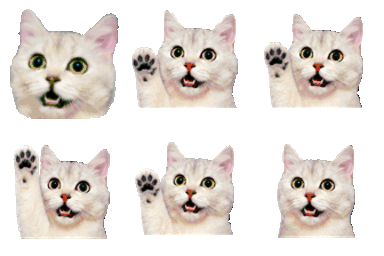
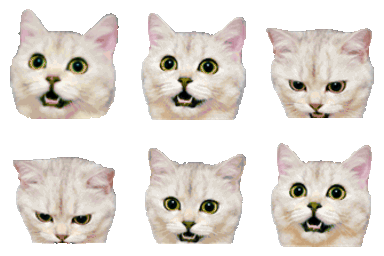
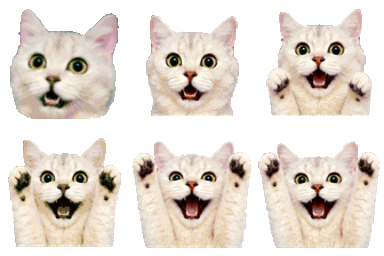
These three sources come from our own Cat Reactions pack. We uploaded each one separately to the Slack Emote Resizer and downloaded its result. All three outputs are 128 × 128 transparent GIFs with 13 frames and a 1.04-second loop. The images above use the exact saved files.
Download the checked output ZIP and its CSV manifest. We assembled the ZIP after the individual browser exports and checked its entries. The resizer did not create the archive. Each manifest row identifies a source, its output, dimensions, frames, duration, bytes, and a file hash.
List the expected files first
Give each reaction a stable name before resizing: hello, yes, and celebrate are clearer than final-1, final-2, and final-final. Keep originals in one folder and finished platform files in another. When you need several platforms, use a separate output folder for each one.
Write one row for every expected output. A pack of 12 reactions with three required sizes needs 36 image rows, not just 12. Include a column for the target size so the smaller version cannot silently replace the larger one. Put optional thumbnails in their own rows if they are part of the delivery.
Process and check one row at a time
- Choose the destination from the platform resizer list.
- Upload the source named in the current manifest row. Read the source dimensions and frame count.
- Select the available size and format for that destination. Make the file and wait for its verification result.
- Download into the correct output folder. Rename it consistently if needed, without changing its true format extension.
- Open the saved file, record its measured values, and mark the row complete before starting the next source.
Browser downloads may add a number when a file with the same name already exists. That extra copy can make a folder count look correct while a different reaction is missing. Compare names against the manifest, not just the total number of files in the folder.
Review motion and visual scale
Equal canvas dimensions do not guarantee equal visual size. A cat with wide transparent margins can look smaller than another cat in the same 128-pixel square. Review the set together and decide whether that difference is intentional. Check every animated pose before reducing margins so a moving hand is not cut off.
For animated files, verify movement, duration, and the return to the first frame. The resizer may reduce detail to fit a limit. Inspect the downloaded result rather than assuming the source preview shows the final quality. For static destinations, label the still versions so they cannot be confused with the GIF masters.
Package only the checked outputs
When every row is complete, make a ZIP from the output folder and the manifest. Open that ZIP or extract it into a fresh folder. Confirm that every expected filename appears once and that the extracted images still open. This catches accidental nesting, duplicate files, and archives made from the source folder instead of the final folder.
Our measurement record gives the exact output checks for this example. A valid ZIP does not upload emoji to a workspace or assign streaming slots. Use the destination's upload steps afterward, and keep the source folder for future changes. The emoji pack launch checklist covers names, previews, instructions, and the final release review.


