How to Compress a GIF for Discord or Slack: Before-and-After Examples
Compare real GIF files, dimensions, frame counts, and color settings. Reduce an animated emoji file for Discord or Slack and download the examples.
To compress a GIF for Discord or Slack, reduce the number of frames, then reduce the image dimensions and colors as needed. Check the result at the size people will see in chat. A smaller file is useful only if the face, action, or message stays clear.
We used the MakeEmoji demo cat to make the examples below. The original GIF is 933,367 bytes. Our Discord example is 211,623 bytes, and our Slack example is 116,744 bytes. Download the files and compare the motion yourself. These are measured results for one image, not a promised file size for every GIF.
Check the correct upload limit
Discord says custom emoji must be under 256 KB. This is the custom emoji limit, not the limit for a GIF attached to a message. See the Discord custom emoji requirements.
Slack recommends square images under 128 KB with transparent backgrounds. It also allows up to 50 frames in a GIF. A file can be small enough in bytes and still have too many frames. See the Slack custom emoji guidance. These requirements were checked in September 2026.
Compare the actual GIF files
Each preview below uses its actual pixel dimensions. All four files have a transparent background and repeat continuously. The reduced versions keep the full action sequence. Frame timing changes account for the small differences in total duration.
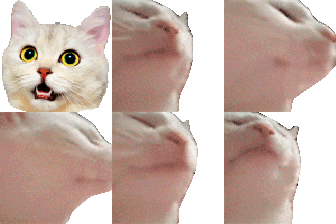
112 × 112 px · 933,367 bytes
Download original

96 × 96 px · 211,623 bytes
Download discord sample

80 × 80 px · 116,744 bytes
Download slack sample

64 × 64 px · 67,673 bytes
Download smallest sample
| File | Frames | Seconds | Settings | Size reduction |
|---|---|---|---|---|
| Original | 167 | 6.82 | Original timing and palette | — |
| Discord sample | 48 | 6.85 | 7 fps; 64-color palette cap | 77.3% |
| Slack sample | 41 | 6.84 | 6 fps; 48-color palette cap | 87.5% |
| Smallest sample | 41 | 6.84 | 6 fps; 32-color palette cap | 92.7% |
The Discord sample fits below 256 KB but exceeds Slack's 128 KB target. The other two samples are below both targets and have fewer than 50 frames. All comparisons use the exact byte counts, so there is no dependence on how your computer rounds a size label.
The smaller files lose fine fur detail. Their motion also has fewer steps. Start with the largest version that meets your destination's requirements. Use the 64 px sample only if that additional size reduction is useful to you. These are lossy exports; they are not identical copies of the original.
Compress your GIF in the browser
- Open the Discord emoji resizer or the Slack emoji resizer. Choose the destination before you process the file.
- Choose your original GIF. Check the source preview, dimensions, frame count, and duration. Keep the original so you can try another export.
- Keep GIF as the output format. Select “Make Discord-ready file” or “Make Slack-ready file.” The tool adjusts compression settings automatically.
- Inspect the result preview and reported file size. Select “Download GIF.” Then upload that downloaded file to the custom emoji settings in your server or workspace.
The browser tool chooses its own settings. The measured samples on this page use the FFmpeg recipe below, so a browser export can have a different size and frame count.
Change one thing at a time
First remove a long pause or a repeated action if your image editor supports trimming. Keep one complete action. Cutting halfway through a head turn can make the loop jump when it starts again.
Next, reduce frames while keeping the duration close to the original. Dropping frames without adjusting their display time can make an animation run too fast. Compare the start, middle, and end of each export. Check that a blink, point, or other important gesture remains visible.
Reduce dimensions only as far as needed. The cat remains easy to identify at 80 px. A small word, thin outline, or detailed logo might not. Check your image at 32 px as well as at full size before you choose an export.
Finally, reduce the palette, which is the set of colors stored in the GIF. Gradients and photographs usually show the loss sooner than flat artwork. Keep the transparent background and inspect the edges on both a light and a dark surface. A white border that is hidden on a white page can remain visible in dark chat.
Reproduce the Slack sample
If you use the command line, download the original above and run this command with FFmpeg. We used version 7.1.1. It samples six frames per second, scales the image to 80 × 80 px, and generates a palette capped at 48 colors with a reserved transparent entry.
ffmpeg -i cat-jam-original.gif -filter_complex \
"fps=6,scale=80:80:flags=lanczos,split[a][b];[a]palettegen=max_colors=48:reserve_transparent=1[p];[b][p]paletteuse=dither=bayer:bayer_scale=3:alpha_threshold=128" \
-loop 0 cat-jam-slack.gif
For the Discord sample, change fps=6 to fps=7,scale=80:80 to scale=96:96, andmax_colors=48 to max_colors=64. Choose a different output filename. For the smallest sample, keep six frames per second, use 64 × 64 px, and set the palette cap to 32. The commands use Lanczos scaling and Bayer dithering. The FFmpeg filter documentation explains the palette settings.
The best result is the smallest change that gets your GIF accepted and keeps its meaning clear. Use the measured files as a comparison, then check your own result in the chat where people will use it.


