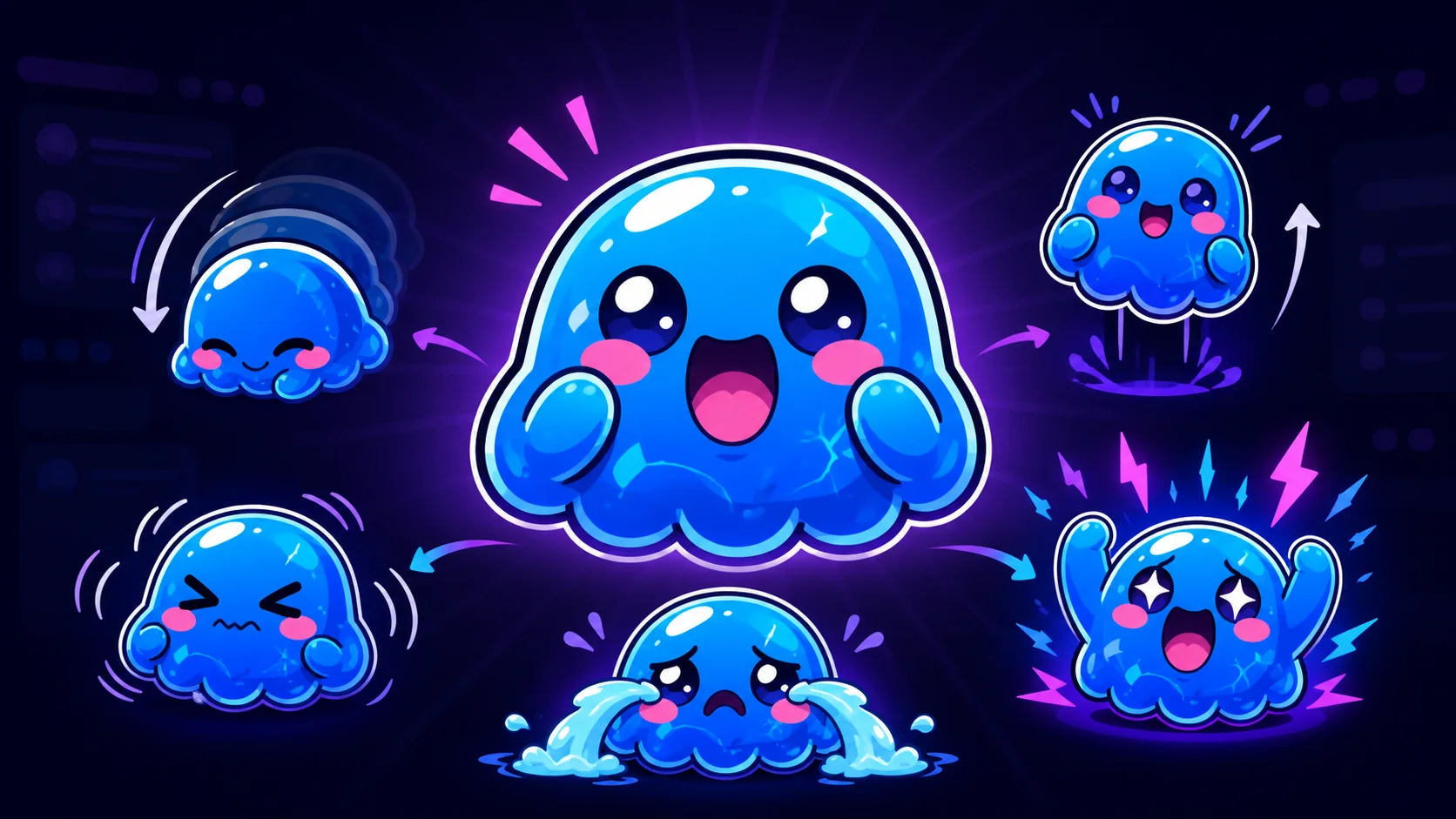
Best Twitch Emote Animations: Nod, Bounce, Shake, Cry, and Hype
Match nod, bounce, shake, cry, hype, and other readable motions to the reactions they communicate best at Twitch chat size.
Short answer
The best Twitch emote animation is the shortest motion that makes a reaction unmistakable. Use a nod for agreement, bounce for upbeat excitement, shake for refusal or disbelief, growing tears for exaggerated sadness, and a compact burst for hype. Keep the face centered, animate one verb, hold the emotional peak long enough to read at 28 pixels, and make the first frame work as a static thumbnail. There is no universal performance ranking.
Last reviewed: 2026-08-02
Animation names are useful only when they connect to a chat meaning. “Bounce” is not a reaction by itself; it can mean hello, celebration, impatience, or musical rhythm depending on the face and timing. Start from what viewers are saying, then choose the motion that completes that sentence.
The five patterns below are reusable because each has a simple directional idea. They are not a measured popularity chart. Your best option is the one that matches a recurring stream moment, stays readable in a tiny square, and loops without demanding attention forever.
Choose the animation from its chat meaning
Use this table as a motion brief. The “avoid” column matters as much as the recipe: extra movement can change the emotion or hide the mascot's face.
| Motion | Best social meaning | Compact loop recipe | Avoid |
|---|---|---|---|
| Nod | Yes, approval, understood, good call | Dip once, compress slightly, return, then rest. | Continuous bobbing that reads as dancing. |
| Bounce | Welcome, cheerful hype, musical energy | Squash, rise, land, settle with one clean arc. | Large travel that pushes the face out of frame. |
| Shake | No, disbelief, panic, bad idea | Move left-right-left, overshoot once, return to center. | High-frequency jitter that blurs the eyes. |
| Cry | Sadness, comic defeat, emotional support | Hold the sad face while two large tear shapes grow and fall. | Many tiny droplets that disappear at 28 pixels. |
| Hype | Win, raid, reveal, milestone | Anticipate inward, burst outward, hold the victory pose, reset. | Simultaneous spin, zoom, shake, and flashing effects. |
Nod, bounce, and shake need different timing
A nod should have a decisive downbeat and a calmer return; the small rest afterward makes it feel like an answer. A bounce benefits from squash before lift and a clear landing, but the face should remain near the center of the square. A shake needs side-to-side direction with one readable overshoot, not random jitter.
Preview all three without motion trails first. If the action is clear from silhouette and displacement, trails are optional decoration. If it is not clear, adding glow and particles will usually make diagnosis harder. Keep eyes, brows, and mouth stable enough that the viewer reads emotion during the move.
One-axis rule
Begin with one dominant axis: vertical for nod or bounce, horizontal for shake. Add secondary squash or tilt only after the basic verb remains obvious at 28 pixels.
Cry and hype are changes of intensity
For cry, preserve the sad face while the tears escalate. Two oversized streams or drops read more reliably than detailed water simulation. The loop can return during a blink or brief compression so the reset feels intentional rather than like the emotion vanished.
For hype, use anticipation and release: pull the body inward, expand into a raised pose, then hold the peak. That hold is where chat recognizes the reaction. Channel colors or one signature shape can reinforce identity, but they should frame the face instead of covering it.
Pass the thumbnail, loop, and upload checks
First, freeze frame one. Twitch uses the first GIF frame as the default static thumbnail unless you supply a custom static image, and viewers can disable animations. Second, watch ten repeats at 28 pixels. Look for a visible seam, facial blur, cropped edges, or a peak that passes too quickly.
Finally, check the current Twitch requirements. As reviewed on August 2, 2026, animated emotes are square GIFs, can contain no more than 60 frames, and must not flash or flicker more than three times in one second. Auto-resize accepts a 112–4096 pixel square GIF up to 1 MB; manual mode uses 28, 56, and 112 pixel files up to 512 KB each. Confirm again before upload.
- Inspect the transparent edge on both light and dark backgrounds.
- Keep the focal face within the center safe area through every frame.
- Remove duplicate frames and decorative particles before crushing color quality.
- Use a custom static thumbnail if frame one cannot be both a strong pose and a clean loop start.
Choose a signature animation after the free test
Try the simple version first and watch whether viewers understand and reuse it. If one reaction becomes part of channel culture, a paid special animation can add bespoke transformation or polish to that proven moment. Keep everyday answers simple; spend complexity where the community already supplies meaning.
Build and test one animation free
Step 1
Choose the chat sentence
Write the intended use—“yes, that worked” or “no, do not do that”—then pick the verb that makes the sentence visual.
Step 2
Prepare a centered static frame
Use a square transparent image with a large face, bold outline, and padding for motion. Preview it at 28 pixels before animating.
Step 3
Apply one motion
Upload the image to the free animator and try nod, bounce, shake, or another single effect. Keep the first attempt deliberately simple.
Step 4
Tune the emotional peak
Slow down long enough to read the key pose. Reduce travel or effects if the eyes and mouth blur or leave the center.
Step 5
Test, export, and verify
Watch repeated loops at 28 pixels, inspect frame one, then confirm square dimensions, file size, frame count, and flicker against Twitch's current guidance.
Make your first version free
Test a Twitch emote animation free
Start with one centered reaction, apply one clear motion, and inspect the result at 28 pixels before spending time on a full animated pack.
Test a Twitch emote animation freeRelated MakeEmoji guides and tools
Sources checked
Frequently asked questions
What is the best animation for a Twitch hype emote?
Use a compact anticipation-and-burst loop: pull inward, expand into a raised victory pose, hold the peak, and reset. A bounce can work too if it matches the channel's tone. There is no universal winner.
How do I make a shaking emote readable instead of blurry?
Reduce the travel and frequency, keep the face centered, and use a clear left-right-left pattern with one overshoot. Test at 28 pixels without motion trails; add decoration only if the basic movement already reads.
Should a crying emote use animated tears?
Animated tears help when escalation is the joke. Use one or two large shapes and keep the sad brows and mouth stable. If the static face already communicates the moment, a still crying emote may be clearer.
Can a Twitch emote animation have more than one effect?
It can, but start with one dominant verb. Secondary squash, glow, or impact shapes should support that verb. Combining spin, zoom, shake, and flashing usually weakens the reaction and can create accessibility or upload problems.
Why does the first frame of my animated emote matter?
Twitch uses it as the default thumbnail unless you provide a custom static image, and viewers can turn animations off. Frame one must therefore work as a complete, recognizable reaction on its own.


