Free Animated Mikumusic Emoji Maker
Create custom animated emote GIFs of the Mikumusic emoji with our simple, free emote generator
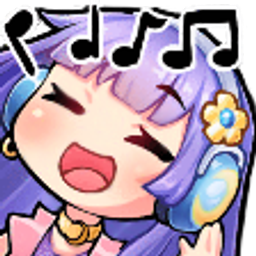
Create custom animated Mikumusic emojis and emotes for Twitch, Discord, and Slack. Turn Mikumusic into animated emotes with shake, spin, party effects, and more.
Stickers & scenes
Make animated Mikumusic emojis for Discord, Slack, and Twitch
Popular Animations
How to make a Mikumusic emoji
Create an animated Mikumusic emoji in MakeEmoji.
- Open the maker: Open the Mikumusic emoji maker page.
- Choose animation settings: Pick an animation, size, speed, color filter, and output format.
- Download the emoji: Download the generated emoji and upload it to your chat platform.
More details
The Mikumusic emoji is a Slack-style custom emoji for quick reactions in team chat, Discord servers, Twitch communities, and shared meme channels. It fits naturally with random reactions and related community emoji. Use it when the conversation needs a recognizable visual cue instead of another line of text. MakeEmoji turns Mikumusic into a flexible emoji maker: start from the source artwork, choose effects like shake, spin, party color, or a clean static export, then download a version sized for the platform you use most. The result keeps the original emoji readable at small sizes while giving you enough motion and polish for custom server packs.
FAQ
How do I make an animated Mikumusic emoji?
Choose Mikumusic from the Emoji Makers library, pick an animation style, adjust the size and speed, then export it as a GIF, APNG, WebP, or PNG.
Can I use Mikumusic on Slack or Discord?
Yes. Export a compact version from MakeEmoji and upload it to Slack, Discord, Twitch, or another workspace that supports custom emoji.
What animation works best for Mikumusic?
Shake works well for reactions, spin adds movement for playful uses, and party color is best when Mikumusic should feel celebratory.