Petpet GIF Tutorial: Turn Your Photo into a Petting Emoji
Make a petpet GIF from a pet photo, avatar, or portrait. Follow the crop, animation, download, and upload steps, with fixes for common problems.
A petpet GIF adds a moving hand above a face and gently squashes the image with each pat. You can use a pet photo, a selfie, an avatar, or a drawing. In MakeEmoji, the free effect is called Pet. Upload your image, find Pet, and download its GIF. You do not need to draw animation frames or buy AI credits for this effect.
This guide uses the cat below so you can compare the source with the finished animation. The same steps work for a person or mascot. Start with one face and keep the eyes easy to see.
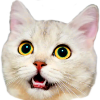
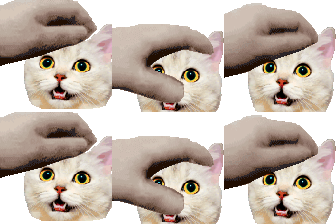
These are existing MakeEmoji sample files. The measurements describe these files; your export size will depend on your photo and settings.
1. Choose a photo with one clear face
A close portrait works better than a full-body photo. Use an image where the eyes, mouth, and top of the head are visible. For a pet, keep both ears if possible. For an avatar, keep one useful detail such as glasses or a hat, but remove small text and scenery.
Choose a photo you took or artwork you can use. A square source makes the result easier to frame. Do not crop so tightly that the ears or hair touch every edge. The hand needs room above the face, and the head needs room to move down.
2. Upload and prepare the image
- Open the MakeEmoji editor and select Upload. Choose your image. You can also use the cat sample to try the effect first.
- Select Edit Image to adjust the source. Drag the box to move it. Drag a corner to zoom and rotate, or use a pinch gesture on a touch screen.
- If the photo has a busy background, select Remove Background. Inspect the ears, hair, and glasses. Select Undo if the removal cuts out part of the subject.
- Keep the face near the center with some space above it. Select Save to apply the crop.
A transparent source lets the face sit on the chat background. A rectangular photo background is also moved and squeezed by the Pet effect. Remove it if you want the result to look like a cutout.
3. Find Pet and set the speed
Enter pet in Search styles by name. Find the Pet result with the hand above your image. Start with Speed: Normal. If the pat feels too quick, try 0.75x and compare several loops. Keep the color unchanged for your first export so the original face stays easy to recognize.
The free Pet effect moves and squeezes your existing image. It does not draw a new expression or invent another pose. You do not need to change the AI Quality control for it. If you want a redrawn character or a different facial expression, that is a separate task for AI Studio.
4. Set the output and download the GIF
Select your destination in Platform, then check Size and Format. Use GIF for this animated tutorial. For a Twitch automatic upload, 112 × 112 pixels is a useful starting size. For Discord, start at 128 × 128 pixels. A platform choice can restrict the available sizes and formats.
Open the Pet tile's three-dot More emoji actions menu and select Download. Open the downloaded file in a browser to make sure it moves. Keep this file; a screenshot saves only a still image. Use a simple name such as milo-pet.gifso it is easy to find when you upload it.
Check the destination's upload limits before you add the emoji. The Twitch size guide explains automatic and manual uploads. The Discord upload guide covers adding a GIF to your server.
Fix a hand that hides the face
The Pet hand follows a fixed path. If it covers the eyes, return to Edit Imageand adjust the subject's position or scale. Leave more space above the head, save, and check Pet again. There is no separate hand-position control for this effect. A very tall hat or set of ears can need a different crop.
If the face looks too small, remove space beside and below it before you enlarge the whole source. If the edge looks rough, try a cleaner source with a plain background. Adding more motion will not repair missing ears or a blurred face.
Check the result at chat size
Can you still see the eyes and the hand without zooming in? If yes, upload one version and check it in a real chat message. For Twitch, also inspect a 28-pixel export. Make one clear petpet reaction first; then reuse the same source for other reactions that your group needs.


