Halloween Discord Emojis: Free Downloads and How to Make Your Own
Download free Halloween cat emojis, make animated versions, and add pumpkins, ghosts, and spooky reactions to your Discord server.
Give your Discord server a Halloween set with eight free cat emojis. Download the PNG files below, add them to your server, and give each one a short name. For an animated version, use one of the images as the source in MakeEmoji and apply a free animation.
The download contains static images. The animation examples later in this guide show separate effects you can apply yourself. Start with the static set if you want members to use the emojis in your server without an animated-emoji subscription requirement.
Download eight free Halloween Discord emojis
These are the actual Halloween Cats files, resized to 128 × 128 pixels for Discord. Each image has a transparent background. Select an image to open its PNG, or download the ZIP for the complete set.
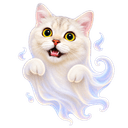
:cat_boo: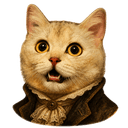
:cat_haunted: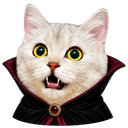
:cat_vampire: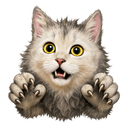
:cat_howl: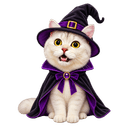
:cat_witch: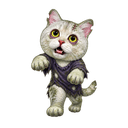
:cat_zombie: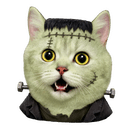
:cat_frankenstein: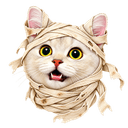
:cat_mummy:Download the eight Discord PNGs. The PNGs range from 5,998 to 10,571 bytes each. The ZIP is 73,255 bytes. Keep the ZIP as your backup, then extract it before you upload. A ZIP is a container for the images; Discord needs the individual PNG files.
Need larger source images for editing? The original Halloween Cats pack has 512 × 512 PNGs. Most of those original files exceed Discord's 256 KB upload limit. Use the smaller download above for direct uploads, and keep the originals for crops and animation work.
Add the Halloween emojis to your Discord server
- Extract the ZIP and open the folder with the eight PNG files.
- In Discord, open the server menu. Select Server Settings, then Emoji.
- Select Upload Emoji and choose an image. You need permission to create expressions in that server.
- Give it a clear name, such as
cat_boo. Repeat for the images you want to add. - Open a server text channel and type
:cat_boo:. Check the result in a message and as a reaction.
Discord requires files under 256 KB. Names need at least two characters and can use letters, numbers, and underscores. Check Discord's custom emoji instructions if the upload control is missing or your server has no free emoji slots. A successful image download does not give you upload permission in a server.
Make an animated Halloween emoji
A ghost that shakes or a witch that spins can be a useful second version of a static emoji. Choose one action first. An image with one clear movement is easier to read than a small face with several effects at once.
- Open the MakeEmoji editor. Select Upload and choose a Halloween cat PNG.
- Keep the ears, hat, and costume inside the crop. Leave some space around the subject so movement does not cut off its edges.
- Select the Free Animations filter. Try Shake, Spin, or Party, then compare the previews.
- Use the result's Download action. Save a GIF for the animated version, then check its file size before uploading.
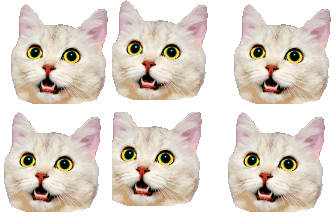
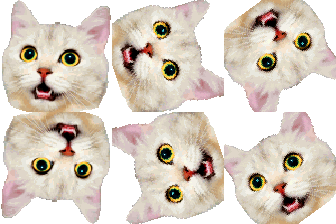
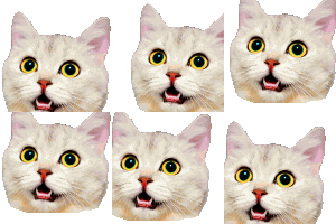
These working GIFs use MakeEmoji's sample cat. They demonstrate the effects; they are not animated files from the Halloween Cats ZIP.
Keep both versions. Members can use the static PNG where animated emoji use is unavailable. Discord applies its own subscription and server rules to animated custom emojis. A free GIF export from MakeEmoji does not change those rules.
Give each Halloween reaction a clear use
You do not need all eight images in every channel. Use Ghost for a surprise, Zombie for a late-night reply, and Witch for a new idea. Pick three or four that fit conversations your members already have. The names above are suggestions, so change them to match your server.
Post a short example message with the new names. Ask members which faces are easy to recognize at chat size. If a costume becomes hard to see, try a closer crop from the 512-pixel source. Keep the face large and remove extra space before adding an effect.
Before a Halloween event, check one emoji on both light and dark backgrounds. Check a mobile message too. Save the original images and exported GIFs in a folder with the emoji names. That makes the set easy to reuse next October.
Discord guidance and MakeEmoji pack contents reviewed September 20, 2026.


