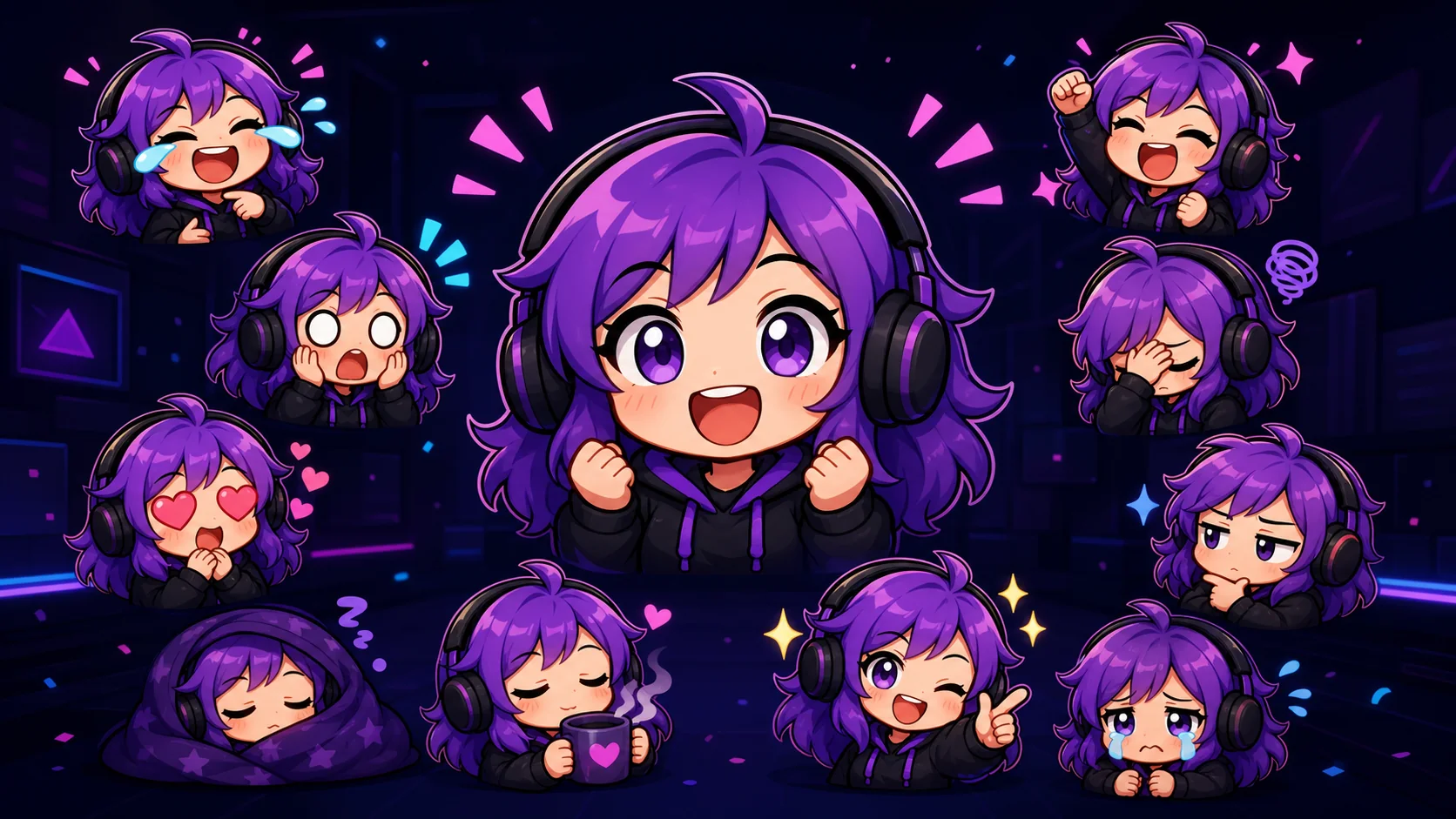
Chibi Twitch Emote Ideas: 25 Reactions for a Complete Pack
Plan a useful chibi Twitch pack with 25 distinct reactions covering welcomes, wins, fails, lurks, raids, comfort, and community jokes.
Short answer
A complete chibi Twitch emote pack should cover greetings, laughter, celebration, affection, surprise, failure, low-energy viewing, and stream transitions. Start with five reactions your chat can use every stream, then expand into channel-specific moments. Give every emote a different silhouette, eye shape, mouth shape, and pose, and judge it at an actual 28×28 pixels before spending time on polish.
Last reviewed: 2026-08-02
The best chibi pack is a compact reaction vocabulary, not 25 cute faces with the same meaning. Viewers should be able to greet you, celebrate, laugh, show support, lurk, and say goodnight without reaching for another channel's emotes.
Use this catalog as a menu. Pick reactions for events that actually happen in your stream, keep one original mascot and visual system, then vary each expression and pose enough to give the thumbnail a separate job.
What makes a chibi reaction pack feel complete
Completeness comes from coverage, not quantity. Five open-mouth smiles may look consistent, but chat will treat them as interchangeable. Give every slot a prompt: what just happened, and what would a viewer say in one tiny picture? Large heads, oversized eyes, compact hands, and exaggerated poses survive reduction; one head shape, outline treatment, palette, and owned accent keep the set connected.
- Change at least two major signals: eyes, mouth, hands, head angle, prop, or body pose.
- Reserve the brightest accent for high-energy reactions so hype cannot read like lurk.
- Keep props large and original; avoid franchise items, costumes, symbols, or catchphrases you do not own.
Fast selection rule
Choose one greeting, laugh, celebration, affection reaction, and recovery or low-energy reaction first. Those five cover more chat than five flavors of hype.
25 differentiated chibi Twitch emote ideas
Each idea has a separate chat job and a distinct pose. Adapt it to your own original mascot and channel-owned motif, never a known character or franchise prop.
| # | Reaction | Visual direction | Best chat moment |
|---|---|---|---|
| 1 | Hello wave | Oversized waving hand, open eyes, welcoming smile | Arrivals |
| 2 | Welcome gift | Offering a simple wrapped box with both hands | New chatter or sub |
| 3 | Laugh burst | Closed eyes, broad grin, two bold tears | Joke or funny clip |
| 4 | Wheeze collapse | Folded over a desk with one weak raised hand | Escalating laughter |
| 5 | Happy bounce | Airborne pose, tucked feet, lifted cheeks | Good news |
| 6 | Hype fist | Raised fist, starburst eyes, upward silhouette | Reveal or queue |
| 7 | Clutch victory | Tiny crown overhead, sharp triumphant grin | Narrow win |
| 8 | Good-game bow | Forward bow with hands together | Match ending |
| 9 | Heart hug | Squeezing one large heart against the chest | Support or pride |
| 10 | Thank-you sparkle | Clasped hands under chin, two bright sparkles | Gift, raid, or advice |
| 11 | Shocked gasp | Round eyes, tiny pupils, hands on cheeks | Surprise or scare |
| 12 | Mind blown | Hair lifted by one bold burst | Impossible play or fact |
| 13 | Suspicious side-eye | Half-lidded sideways eyes, one raised brow | Questionable claim |
| 14 | Confused tilt | Strong head tilt, one question-shaped curl | Puzzling decision |
| 15 | Deep thinking | Hand under chin, narrowed eyes, thought bubble | Theory crafting |
| 16 | Steam rage | Puffed cheeks, clenched hands, soft steam | Playful frustration |
| 17 | Salty sip | Deadpan stare over a cup with one tear | Loss or bad luck |
| 18 | Facepalm fail | Hand covering eyes, shoulders dropped | Obvious mistake |
| 19 | Panic sweat | Wide eyes, crooked mouth, three sweat drops | Timer or chase |
| 20 | Sad puddle | Low crop with heavy tears pooling below | Unlucky result |
| 21 | Blanket lurk | Sleepy face above a wrapped blanket | Quiet watching |
| 22 | Snack break | Puffed cheeks holding one generic snack | Meal break |
| 23 | BRB sprint | Side-profile run with trailing motion lines | Quick break |
| 24 | Raid arrival | Carrying a bright lantern and waving forward | Entering another channel |
| 25 | Sleepy goodnight | Head on folded hands, crescent accent | Stream ending |
Design for the 28px decision, not the 112px beauty shot
Preview each idea at exactly 28×28 pixels on dark and light surrounds. Ask someone to name the emotion in one second. If they hesitate, enlarge the eyes or mouth, remove an accessory, or strengthen the pose. Give the face most of the square, use thick outer contours, keep interior lines sparse, and avoid small words. Twitch itself warns that 28px leaves little room for detail or text.
- Compare neighboring emotes side by side at 28px; silhouette collisions are easier to see as a group.
- Check grayscale once. Hype, sad, and lurk should remain distinguishable without relying only on color.
- Use the actual final export, not a zoomed canvas preview, for the last readability check.
Current Twitch standard-emote upload facts
Twitch currently requires standard emotes to be square PNG files with a fully transparent background. In auto-resize mode, Twitch accepts one square PNG from 112×112 through 4096×4096 pixels under 1 MB. Manual mode uses three versions of the same image at 28×28, 56×56, and 112×112 pixels; Twitch's subscriber guide says each manual file must be under 100 KB.
Emotes normally go through review before viewers can use them. Eligible Affiliates and Partners can receive instant-upload access under Twitch's current criteria, but Twitch can still review or remove emotes that violate its rules. Check the official pages in Sources before a production upload because platform requirements can change.
A practical workflow from 25 ideas to a usable pack
Step 1
Map real chat moments
List recurring stream moments, assign one reaction to each, and separate universal needs from temporary jokes.
Step 2
Pick the first five
Start with greeting, laugh, hype, love or thanks, and fail or lurk. Prove the system before commissioning 25.
Step 3
Lock one mascot system
Define head shape, crop, outline, palette, and one owned motif; vary the emotional pose.
Step 4
Sketch in black and white
Make silhouettes readable before color. Push eyes, mouth, hands, and head angle until reactions separate.
Step 5
Run the 28px test
View roughs at actual chat size, ask a blind tester to identify each emotion, and simplify every miss.
Step 6
Export and learn
Prepare current Twitch sizes, upload rights-cleared art, and expand according to repeated use.
Make your first version free
Make one chibi reaction free
Start with the reaction your chat needs most. Upload your own rights-cleared mascot or artwork, make a free first version, and test it at 28px before planning the other 24.
Make one chibi reaction freeRelated MakeEmoji guides and tools
Sources checked
Frequently asked questions
Do I need all 25 chibi emotes at launch?
No. Start with five broad reactions, observe usage, and expand in small batches. The catalog is a coverage menu, not a launch requirement.
How do I stop chibi emotes from looking identical?
Change several high-signal features: eyes, mouth, hands, head angle, prop, and silhouette. Redesign any pair that still collides at 28px.
Can I base an emote on a famous anime or game character?
Use only art and characters you own or may adapt. Prefer your own mascot, face, pet, or avatar, and never prompt a generator to imitate a known copyrighted character.
Are words a good idea in a 28px emote?
Usually not. Twitch notes how little room 28px provides. Prefer a face, hand pose, or large symbol; test any essential word at the final size.


