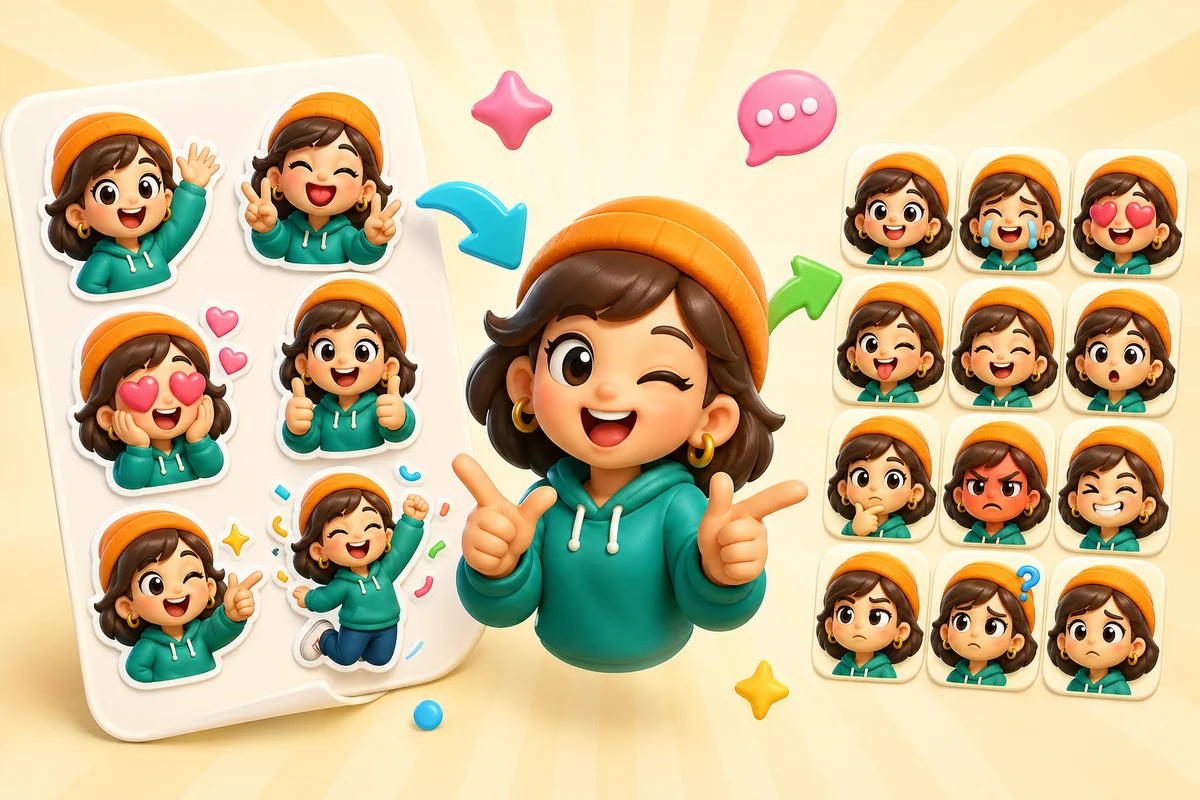
AI Sticker Maker vs AI Emoji Maker: WhatsApp, Telegram, Discord, and Slack
Understand when to create AI stickers, custom emoji, or animated emotes, and how the right crop changes for WhatsApp, Telegram, Discord, Slack, and Twitch.
Short answer
AI stickers and AI emojis are related but not interchangeable. Stickers are larger expressive assets for apps like WhatsApp and Telegram, while custom emojis and emotes must read as tiny reactions in Discord, Slack, and Twitch.
The real difference
An AI sticker can include more detail, pose, and character texture because it appears larger. A custom emoji has to survive tiny chat UI, file caps, and fast scanning. That changes the prompt, crop, motion, and export decisions.
MakeEmoji should frame Studio as useful for both source creation and emoji-like sticker art, but the final workflow should be honest about the destination.
| Asset | Typical use | Design priority |
|---|---|---|
| Emoji | Quick reactions in Discord and Slack | Tiny-size readability |
| Emote | Streamer and community chat identity | Expression at small sizes |
| Sticker | Larger expressive messaging assets | Pose, character, and silhouette |
| Reaction pack | Reusable emotion set from one identity | Consistency across multiple outputs |
WhatsApp and Telegram vs Discord and Slack
WhatsApp and Telegram sticker workflows care about sticker pack rules, larger square artwork, and transparent-background presentation. Discord and Slack custom emoji care more about small-size readability and file weight.
This is why a sticker prompt can ask for more pose and body language, while an emoji prompt should usually ask for one close subject with simple shapes.
Destination first
The same Studio source can inspire both sticker and emoji variants, but the final crop and animation choices should change by platform.
Prompt differences
| Goal | Prompt style | Avoid |
|---|---|---|
| Emoji | Close character head, clear expression, bold silhouette | Tiny details, full scenes, text |
| Discord emote | Expressive face or mascot, short motion potential | Long animation, noisy backgrounds |
| Slack reacji | Simple work reaction, restrained expression | Overly dramatic or heavy animation |
| Sticker | Fuller pose, expressive character, clean cutout | Overcrowded composition or low-contrast edges |
Workflow for one source, two outputs
Step 1
Create the source in Studio
Generate or remix one character, mascot, pet, or face that can support both crops.
Step 2
Make the emoji crop
Create a tight head or focal-point version with simple shape and strong expression.
Step 3
Make the sticker crop
Use more body language and whitespace because stickers appear larger.
Step 4
Animate selectively
Use motion where it helps the emoji reaction; keep sticker animation separate if the platform supports it.
Where MakeEmoji fits
MakeEmoji is primarily strongest for custom emoji, emotes, and animated reaction workflows. Studio widens that into source creation and remixing, which also helps users create sticker-like art before they adapt it for the target app.
Use AI animation for reactions with a clear purpose: Discord packs, Slack team reactions, Twitch emotes, and brand mascots. Credits from a pack or Pro work with every quality level.
Next steps
FAQ
Is an AI sticker the same as an AI emoji?
No. Stickers are larger expressive assets, while emojis and emotes need to read clearly as tiny chat reactions.
Can I use one Studio image for both stickers and emoji?
Yes, but you should create different crops. Emoji need tight, readable framing; stickers can use more pose and whitespace.
Which is better for Discord?
A custom emoji or emote workflow is usually better for Discord because it prioritizes file size, animation, and tiny-size readability.
Which is better for WhatsApp or Telegram?
Sticker-style assets usually fit WhatsApp and Telegram better because those platforms are built around larger sticker packs.


