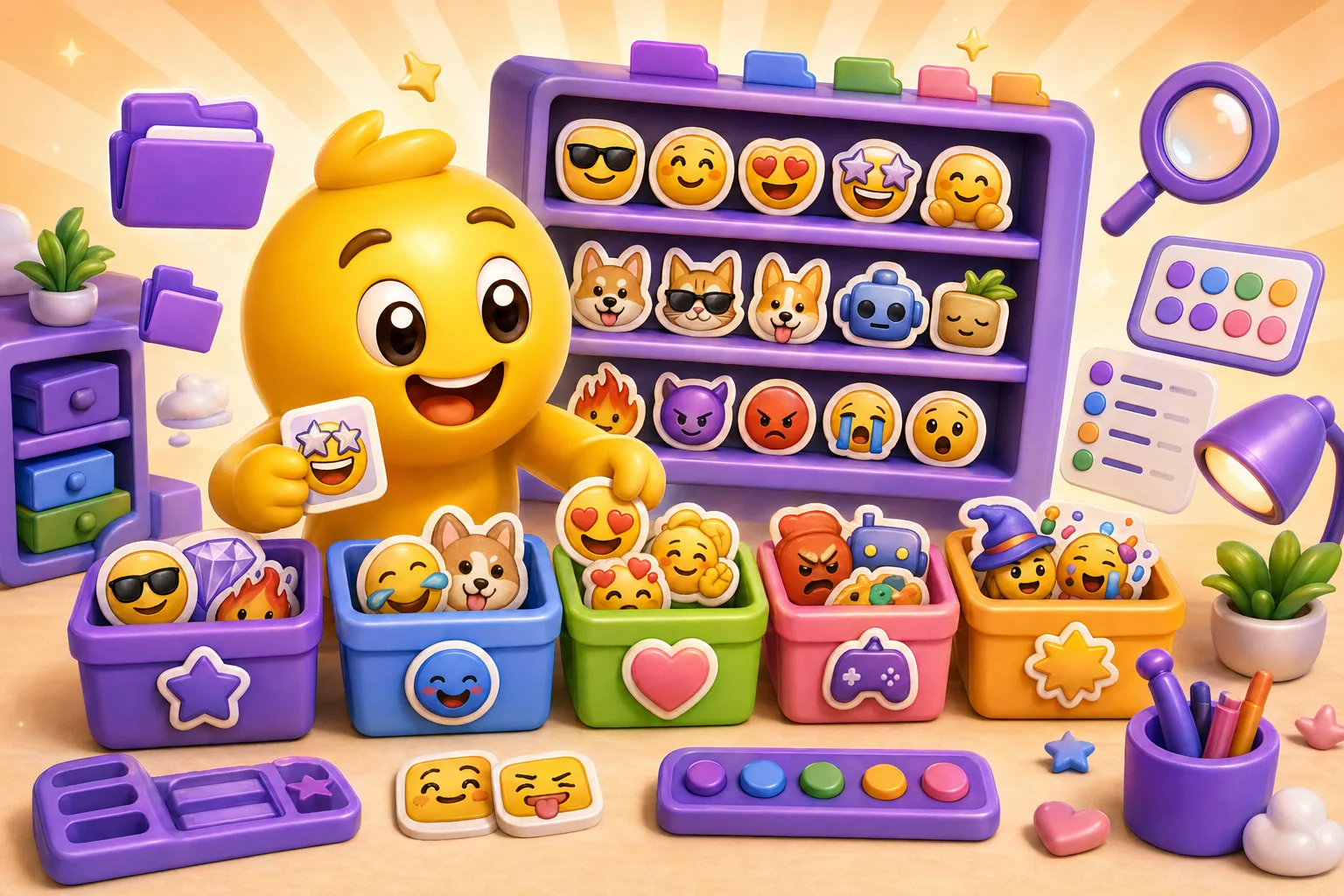
How to Organize Your Discord Emoji List (Categories & Naming)
Best practices for organizing large Discord emoji collections with naming conventions and categories.
Your Discord server has 147 custom emojis. Someone types :happy and gets no results because you named it :smile_face_01:. They try :cat and find 12 different cat emojis with no clear difference between them. Finding the right emoji takes 30 seconds of scrolling. Your emoji collection became a disorganized mess that frustrates users instead of enhancing conversation. Good organization isn't optional for large emoji libraries—it's the difference between emojis that get used and emojis that get ignored.
How Discord emoji search actually works
Discord's autocomplete searches from the beginning of emoji names only. Type :ha and you'll find :happy:, but you won't find :superhappy: because "ha" isn't at the start. This isn't full-text search. The first few characters of your emoji name determine discoverability more than anything else. Get the prefix wrong and your emoji becomes invisible.
There are no tags, no metadata, no categories built into Discord. The emoji name is your only organizational tool. You can't tag an emoji as "emotion" or "food" or "gaming" in a way Discord understands. The name has to carry all the organizational and descriptive information. This limitation forces deliberate naming strategies—your names must serve both description and organization simultaneously.
Discord shows emojis in alphabetical order by name. When you open the emoji picker, you see your custom emojis sorted A to Z. This means naming determines not just searchability but also visual grouping. All your emojis starting with "cat" appear together. All your emojis starting with "status" cluster in one section. Alphabetical ordering is automatic organization—if your names follow patterns, your emojis self-organize.
Category prefix system for large collections
Prefix-based categorization groups related emojis automatically. All emotion emojis start with emo_: :emo_happy:, :emo_sad:, :emo_angry:. All reaction emojis start with react_: :react_yes:, :react_no:, :react_maybe:. Type the prefix and see all emojis in that category. This works brilliantly for organized discovery when you have 100+ emojis.
Common category prefixes that work well: emo_ for emotions, act_ for activities, status_ for status indicators, food_ for food and drink, animal_ for animals, game_ for game-specific emojis, role_ for role badges, meme_ for memes and inside jokes. Adapt these to your server's needs. The specific prefixes matter less than consistency across your collection.
The downside is prefix systems feel corporate and kill personality. :emo_happy: is functional but boring compared to :bobo_smiles: or :gigahappy:. You trade character for organization. Some communities resist this—they want creative names, not corporate filing systems. Prefixes work best for large servers with diverse emojis where discoverability matters more than personality, or for functional emoji sets (moderation tools, status indicators) where clarity beats creativity.
Semantic naming for natural discovery
Name emojis what people would naturally type to find them. Someone wants to express agreement—they type :yes or :agree or :thumbsup. Don't name it :approve_gesture_1: because nobody types that. Semantic naming matches user intuition. The first thing someone guesses should find the emoji. If it doesn't, your naming failed.
Action-based names work universally. :wave: for greeting, :celebrate: for celebration, :facepalm: for mistakes, :thinking: for contemplation. These describe what the emoji represents, not arbitrary identifiers. New members understand them immediately. No documentation needed. The name itself explains the emoji's purpose. This is the gold standard for frequently-used emojis.
Avoid clever wordplay or inside jokes as primary names. Your "sad" emoji shouldn't be named :big_mood: just because that phrase is funny to regulars. New members typing :sad won't find it. Inside jokes work as secondary aliases, but the primary name should be obvious. :sad: can also be :big_mood: for people who know the reference, but the discoverable name comes first.
Test semantic naming by asking "what would someone type to find this?" Show your emoji to someone unfamiliar with your server and ask them to guess the name. If they can't guess or get close, rename it. Obvious beats clever. Functional beats funny. Save creativity for the emoji design itself—the name should be boringly predictable.
Handling variations and intensity levels
Numbered progressions show intensity clearly. :happy1:, :happy2:, :happy3: for mild, moderate, and extreme happiness. The numbers create obvious progression. Type :happy and all versions appear together in autocomplete. People understand higher numbers mean more intensity. Simple, consistent, discoverable. This works for any emotion or reaction with multiple intensity levels.
Descriptive intensity naming is more natural but longer. :happy:, :very_happy:, :extremely_happy: tells you exactly what each emoji represents without memorizing a number scale. The trade-off is longer names that take more time to type. For frequently-used emojis, this typing overhead matters. For occasional-use emojis, the clarity might be worth it. Choose based on expected usage frequency.
Color or size modifiers work for non-emotional variations. :heart_red:, :heart_blue:, :heart_green: for colored hearts. :star_small:, :star_medium:, :star_large: for different sizes. The modifier comes after the base name so typing the base name shows all variations. This groups related emojis logically while keeping names descriptive.
Avoid ambiguous numbering without documentation. Is :happy1: slightly happy or very happy? Does 1 mean lowest intensity or highest? If your community can't agree, numbers create confusion instead of clarity. In those cases, descriptive words beat numbers even if they're longer. Or document your numbering convention in a pinned message so everyone understands the system.
Character and themed collections
If your server has a mascot or character with multiple expressions, prefix all of them with the character name. :bobo_happy:, :bobo_sad:, :bobo_angry:, :bobo_celebrating:. This groups all character variations together in alphabetical sorting. People who want character-specific emojis type the character name and see all options. This also differentiates your character from generic emotions—:bobo_happy: versus :happy: coexist without confusion.
Seasonal and event emojis need date or event prefixes for management. :halloween_pumpkin:, :halloween_ghost:, :halloween_witch: makes it easy to find all Halloween emojis during October and easy to identify them for removal in November. Same with :christmas_, :newyear_, :birthday_. The event prefix creates temporary collections that live and die with the event.
Game-specific emoji collections benefit from game abbreviations. :lol_ahri:, :lol_yasuo:, :lol_baron: for League of Legends. :mc_diamond:, :mc_creeper:, :mc_pickaxe: for Minecraft. Fans of that game know the abbreviation and can discover all related emojis easily. People not interested in that game can avoid them entirely. Multi-game servers especially benefit from this organization.
Common naming mistakes that kill discoverability
Numbered naming without context—:emoji1:, :emoji2:, :emoji3:—is completely unusable. Nobody knows what these are without looking at each one. You can't search for them because you don't know what to search for. They only work if you memorize numbers to images, which nobody does. This is the laziest possible naming and makes your entire collection worthless. Always use descriptive names, never arbitrary numbers.
Inconsistent naming patterns create confusion. Half your emojis use underscores (:happy_face:), half use no separators :happyface:. Some abbreviate (:thx:), some spell out (:thankyou:). This happens when multiple people add emojis without coordination. The result is nobody knows which naming style to use when searching. Enforce consistency from the start—pick a style and document it for everyone who adds emojis.
Excessively long names discourage use. :super_ultra_mega_extremely_happy_celebration_face: is functionally unusable. Even if it's perfectly descriptive, nobody types that many characters. Keep names under 20 characters for frequently-used emojis, under 30 maximum for anything. If you need that many words to describe an emoji, your emoji probably tries to communicate too much at once. Simplify the emoji or shorten the name.
Special characters and spaces break emoji names. Discord doesn't allow spaces in emoji names—they become underscores. Punctuation and special characters can cause problems or just look ugly. Stick to letters, numbers, and underscores. Use underscores to separate words for readability: :happy_cat: not :happycat:. The underscore improves readability without adding complexity.
Alphabetical organization by design
Since Discord sorts emojis alphabetically automatically, naming controls visual grouping. All emojis starting with "cat" appear together: :cat_happy:, :cat_sad:, :cat_sleepy:. All emojis starting with "status" cluster: :status_online:, :status_away:, :status_busy:. You get free categorization just by being consistent with first words.
This works brilliantly for smaller collections under 50 emojis. You don't need elaborate prefix systems—just name things logically and alphabetical sorting does the rest. It's the simplest organizational strategy and requires no special rules. Natural language naming that happens to group related items works fine for general-purpose emoji sets.
For larger collections (100+ emojis), pure alphabetical organization becomes unwieldy without deliberately planned prefixes. Related emojis scatter if they don't start with the same word. Your happy emojis might be named :smile:, :happy:, :grin:, :joy:—all synonyms for similar emotions but spread across the alphabet. At scale, this fragments your collection and you need more structured naming to maintain organization.
Role-specific and functional organization
Moderator tool emojis should be prefixed and protected. :mod_warning:, :mod_ban:, :mod_timeout:, :mod_approved: clearly marks these as moderation tools. The prefix makes them easy for mods to find and differentiates them from regular emojis. Consider whether these should be visible to everyone or restricted to mod channels depending on your transparency preferences.
Bot-integrated emojis need stable, documented names. If your server bots react with specific emojis, those emoji names can't change without breaking bot functionality. Prefix them distinctly: :bot_success:, :bot_error:, :bot_processing:. Document which bots use which emojis so nobody accidentally renames them. Bot-critical emojis should be considered infrastructure, not decorative content.
Voting or poll emojis require consistent, obvious naming. If you run polls using emoji reactions, people need to understand what each emoji means instantly. :vote_yes:, :vote_no:, :vote_abstain: are unambiguous. Number-based voting (:vote_1: through :vote_5:) works for rating scales. The names must make the purpose immediately clear to anyone seeing the poll.
Managing growth and preventing chaos
Document naming conventions before you hit 50 emojis. Create a pinned message or wiki page explaining your naming system: which prefixes mean what, how to name variations, what abbreviations are acceptable, length limits. Share this with anyone who has permission to add emojis. The documentation ensures consistency even as different people contribute. Without documentation, each person invents their own system and you get chaos.
Require naming review before emojis go live. When someone suggests a new emoji, check that the proposed name follows conventions before uploading it. Fixing names during upload is easy. Renaming after months of use is disruptive because people have learned the old name. Gate-keeping at upload time prevents problems downstream. One person being the "naming czar" maintains consistency better than distributed decisions.
Run quarterly naming audits to fix accumulated inconsistencies. Every few months, review your full emoji list. Find emojis that don't follow current conventions and rename them. Identify duplicates or near-duplicates and consolidate. Remove unused emojis to reclaim slots. Regular maintenance prevents your collection from degrading into disorder. Think of it like cleaning out a closet—regular small cleanups are easier than one massive reorganization.
Creating discoverable documentation
An emoji guide channel helps new members discover what's available. Create a channel that posts screenshots of emoji categories with descriptions: "Emotion Emojis—use emo_ prefix," "Game Emojis—use game_ prefix," etc. Show examples of each category. New members can browse this channel to understand what emojis exist and how to find them. This reduces "do we have an emoji for X?" questions.
A searchable text list complements visual browsing. Post a message with all emoji names in plain text, organized by category. Members can Ctrl+F / Cmd+F to search for keywords. This works better than scrolling through emoji picker when you know generally what you want but not the exact name. Update this list monthly as emojis are added or removed.
Pin the emoji guide in your main channels. New members should see it without searching. Link to it in your welcome message. Make emoji discoverability part of server onboarding. The easier you make it to learn your emoji system, the more people will use emojis instead of giving up and typing words.
Dealing with legacy chaos and reorganization
If you inherited a disorganized emoji collection, don't try to fix everything at once. Rename high-usage emojis first—these are the ones people actually search for daily. Use Server Insights to identify your top 20 most-used emojis and ensure those have discoverable names. The emojis that get used twice a year can wait. Prioritize based on actual impact on user experience.
Announce reorganization plans to your community. Explain why you're renaming emojis, what the new system will be, and roughly when it'll happen. Give examples of old versus new names. This prevents confusion when people suddenly can't find emojis they're used to. It also gives community members a chance to object or suggest improvements before you commit to changes.
Consider whether you can make old and new names work simultaneously during transition. Upload the emoji with the new name, keep the old one for a month while people adjust, then remove the old version. This prevents anyone's habits from breaking abruptly. It doubles your emoji usage temporarily but smooths the transition for users. After a month, remove the old names—by then everyone's adapted to the new system.
Accept that some community pushback is inevitable. People get attached to emoji names, especially if they created the emoji or it's tied to inside jokes. Be willing to compromise on specific emojis that have strong community attachment while still improving overall organization. Perfect consistency isn't worth damaging community relationships. Organizational improvement should enhance experience, not spark drama.
Tools and bots for emoji management
Emoji statistics bots track which emojis get used and which sit idle. These bots analyze message history and report emoji usage over time. You can see your most popular emojis, identify emojis that haven't been used in months, and track usage trends after renaming. This data informs organizational decisions—rename the emojis people actually use first, remove the ones nobody touches.
Bulk emoji management tools let you rename multiple emojis at once, backup your entire collection, or copy emojis between servers. Discord's built-in interface makes you rename emojis one at a time, which is tedious for large reorganizations. Third-party tools or bots can automate bulk operations. Always backup before bulk changes in case something goes wrong.
Be careful with third-party tools that require admin permissions. Only use well-established, trusted tools with good reviews and active development. Bad tools or malicious bots can compromise your server. Read what permissions you're granting and make sure they're necessary for the tool's function. When in doubt, manual management is slower but safer.
Testing your organization system
The new member test reveals whether your system is intuitive. Ask someone unfamiliar with your server to find specific emojis: "Find the happy emoji," "Find the thinking emoji," "Find the cat emoji." Do they succeed on their first try? How long does it take? If they struggle or fail, your naming isn't intuitive enough. Rename based on what they actually typed—that's what real users will type too.
Speed test your most common emojis. How long does it take a regular user to find and use your top 10 emojis? Should be under 3 seconds per emoji—type prefix, see it in autocomplete, select. If it takes longer, there's too much scrolling or the name isn't discoverable. Common emojis need instant access. Optimize these first before worrying about rarely-used emojis.
Monitor "do we have an emoji for X?" questions in chat. If people keep asking whether emojis exist that are actually in your collection, your naming and organization failed. They couldn't discover existing emojis. This is a direct signal that your system needs improvement. Track which emojis get asked about repeatedly and prioritize making those more discoverable.
Scaling from 50 to 250 emojis
At 50 emojis, casual alphabetical naming works fine. Most people can scroll through 50 options and find what they need. At 100 emojis, you need consistent naming patterns to maintain discoverability. At 150+, prefix-based categorization becomes necessary—scanning through 150+ unsorted emojis is too slow. At 200+, you need rigorous organization or your collection becomes unusable despite its size.
Plan your organizational system before hitting limits, not after. If you're at 40 emojis with plans to boost your server to 250 slots, design your naming system now while reorganization is manageable. Implementing structure at 50 emojis is easy. Retrofitting structure onto 200 chaotically-named emojis is painful. Think ahead about how you'll organize when you have 5× as many emojis as you have now.
Different sections of your emoji collection can use different strategies. Core general-purpose emojis might use semantic naming. Character-specific collections might use character prefixes. Game content might use game abbreviations. Moderator tools might use role prefixes. You don't need one universal system—you need appropriate systems for different content types that all remain discoverable.
Good emoji organization makes the difference between a collection that gets used and one that gets ignored. Use semantic naming that matches what users type, implement category prefixes for large collections, maintain consistency with documented conventions, and test discoverability with new members. The effort you put into organization directly improves how much your community actually uses your emojis. Create well-organized custom emoji collections here →


