Font Choices for Text-Based Emojis (Readability Guide)
Which fonts work best for text in tiny emojis and how to ensure readability at 24-32px.
You designed a text emoji that looks perfect at 512×512 pixels in Photoshop. You zoom out to check it at actual size and realize the text is an illegible blur. This is the text emoji problem: what looks clear at design size becomes unreadable at 32 pixels. Font choice is the difference between a text emoji that gets used constantly and one that people can't even read.
Why most fonts fail at emoji size
Discord displays emojis at 32×32 pixels. Slack shows them at 24×24. Twitch varies by context but averages 28 pixels. When your text is three pixels tall, the fine details of typography completely vanish. Serifs disappear. Letter spacing collapses. Thin strokes become invisible. What you're left with is essentially pixel art, where every pixel matters.
The fonts that work in headlines, body text, and even logos often fail catastrophically at emoji scale. A beautiful serif font becomes a muddy blob. An elegant script font turns into abstract squiggles. Anything with fine details or decorative elements just doesn't render—the resolution isn't there. You need fonts designed for maximum impact with minimum detail.
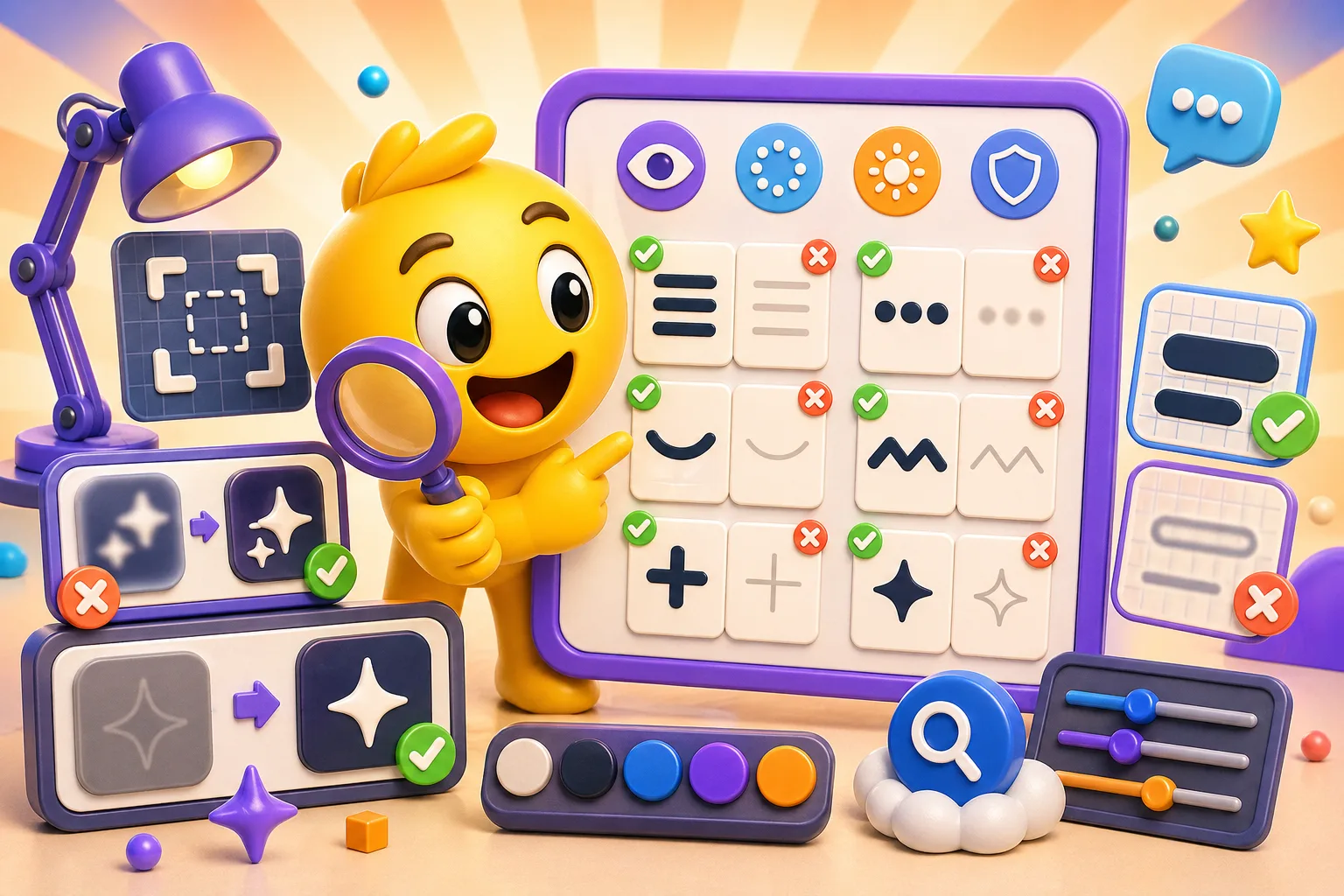
Anti-aliasing makes this worse at small sizes. When you render text at 32 pixels, the anti-aliasing that smooths edges in normal text creates gray pixels that reduce contrast. Your crisp black letters get a gray halo that blurs into the background. At emoji size, you sometimes get better results from aliased (hard-edged) text than smoothed text, which goes against everything you learned about typography for normal use.
Impact: the text emoji champion
There's a reason Impact font dominates meme culture—it's engineered for readability at any size. The letters are thick, condensed, and have massive x-height (the height of lowercase letters). Every stroke is bold enough to remain visible when shrunk down. The character spacing is tight but not cramped. It just works.
Impact stays readable at 8 pixels tall where other fonts become unrecognizable. The thick strokes don't disappear. The condensed width lets you fit more characters in limited space. The lack of serifs or decorative elements means there's nothing to get lost in compression. When you add the classic white text with black outline treatment, Impact remains legible on literally any background.
The downside is Impact is so ubiquitous in meme culture that it might not match your brand aesthetic. If your Discord server or stream has a sleek, modern vibe, Impact's bold, in-your-face style might feel wrong. But if readability is your only goal and you don't care about subtlety, start with Impact. It's the safe choice that almost never fails.
Heavy sans-serif alternatives
Arial Black is Impact's slightly more refined cousin. Thicker strokes than regular Arial, wider letter spacing, and none of the meme baggage. It reads clearly at small sizes while looking more professional than Impact. If you're making text emojis for a workplace Slack or a professional Discord, Arial Black gives you readability without the meme association.
Helvetica Bold and Futura Bold work when you need clean, modern aesthetics. They're not as inherently readable as Impact or Arial Black at tiny sizes, but if you keep text to 1-3 characters and use proper stroke effects, they hold up. These work best for minimalist designs where the aesthetic matters as much as the message.
Trade Gothic Bold Condensed splits the difference between Impact's extreme condensing and Arial Black's width. You get more characters per line than Arial Black but a more refined look than Impact. It's a workhorse font used in advertising specifically because it remains clear when reduced to small sizes.
Display fonts built for impact
Display fonts are designed for headlines where maximum visual impact matters more than paragraph readability. Some of these translate surprisingly well to emoji text.
Bebas Neue is tall, condensed, all-caps, and extremely bold. It has personality that plain Impact lacks while maintaining thick-enough strokes for emoji use. The tall, narrow letters let you fit longer words in limited width. The free license makes it accessible. The modern, geometric style fits tech and gaming aesthetics. It's become the go-to for anything that needs to look bold and contemporary.
Druk (and its free alternatives) has extremely wide, heavy letters that command attention. At emoji size, the width becomes a limitation—you can't fit many characters—but for 1-3 letter emojis, the visual weight is unmatched. "W" or "L" in Druk makes a statement that lighter fonts can't match.
Montserrat Black gives you geometric, modern letter forms with extremely heavy weight. It's more refined than Impact, more current than Arial Black, and free under the Open Font License. For brands that want contemporary style without sacrificing readability, Montserrat Black is increasingly the choice.
Pixel fonts for retro and gaming aesthetics
Pixel fonts are designed to render at small sizes because they're built from individual pixels with no curves or anti-aliasing. This makes them inherently suitable for emoji text if your aesthetic allows for it.
A strong pixel-style display font can replicate the 8-bit era of gaming and read clearly at tiny sizes when it is designed for low-resolution displays. The tradeoff is that it only works if you want that specific retro gaming look. For gaming Discord servers, speedrun communities, or retro-themed streams, it can be perfect. For anything else, it is too stylistically specific.
Minecraftia and similar game-inspired pixel fonts have massive communities that immediately recognize them. If your server is Minecraft-themed, using Minecraftia for text emojis creates instant brand consistency. The readability is excellent because pixel fonts don't suffer from anti-aliasing problems—every pixel is exactly where it should be.
The limitation is pixel fonts only work in their native resolution. Scale them up too much and they look blocky. Scale them down and they lose definition. You need to design at the exact size they'll display, which means working at 32×32 pixels directly, not designing large and scaling down.
Fonts that never work at emoji size
Serif fonts like Times New Roman, Garamond, or Baskerville have fine details—serifs, stroke contrast, elegant curves—that completely vanish at small sizes. The serifs turn into muddy pixels. The thin strokes disappear entirely. What remains is an illegible smudge. Don't use serif fonts for emoji text unless you're designing at massive size and readability doesn't matter.
Script and handwriting fonts are even worse. At 32 pixels tall, the flowing connections between letters collapse into visual noise. Anything decorative or calligraphic becomes abstract shapes rather than readable text. These might work at 10× the size, but at emoji scale, they fail completely.
Thin or light font weights don't have enough pixel mass to remain visible. Arial Regular might work at 12pt for body text, but at emoji size, the strokes are one pixel wide and fade into compression artifacts. You need Bold or Black weights minimum. Light and Regular weights are non-starters.
Fonts with tight default letter spacing become unreadable blobs where letters merge together. You need fonts with generous spacing, or you need to manually increase tracking (letter spacing) significantly beyond the font's defaults. If letters touch at emoji size, your text is gone.
Technical considerations beyond the font choice
Letter spacing needs to be wider than normal typography rules suggest. In print or web design, you might tighten tracking on headlines for visual impact. For emoji text, do the opposite—increase spacing so letters have breathing room. At 32 pixels, letters that are one pixel apart can blur together. Give them two or three pixel gaps and readability jumps.
All caps works better than mixed case at tiny sizes. Lowercase letters have descenders (the parts that drop below the baseline, like in "g" or "y") that take up vertical space and reduce the size of the main letter body. All caps gives you maximum height for the letters that matter. Compare "Epic" versus "EPIC" at 12 pixels tall—the all-caps version is noticeably clearer.
Stroke and outline effects are almost mandatory for text emojis. The classic white text with 2-3 pixel black stroke creates contrast against any background color. Without the stroke, your white text disappears on light backgrounds and your black text disappears on dark backgrounds. The stroke effect makes text float above the background and remain readable in any context. Just make sure the stroke is thick enough—at emoji size, a 1-pixel stroke can get lost. Use 2-3 pixels minimum.
Character count limits for readability
One to three characters is the sweet spot. "W," "GG," "LOL"—these remain readable at emoji size with almost any bold font. You can make the letters large enough to use most of the 32×32 canvas, and even mediocre fonts look okay when you only need three letters.
Four to six characters pushes the limits. "HYPE," "GGWP," "FAIL"—you can make these work, but you need condensed fonts and you lose the ability to make letters as large. Readability drops noticeably. Some fonts that worked for three characters fail at five because the letters become too small.
Seven or more characters is basically impossible for a 32-pixel emoji. "CONGRATS" or "WELCOME" might technically fit if you use extremely condensed fonts and tiny sizes, but nobody will be able to read them. At that point, you're better off redesigning the emoji to use an abbreviation or icon instead of trying to cram a full word in.
If your design requires more than six characters, that's a sign you should rethink the concept. Use abbreviations that your community will understand. "CONGRATS" becomes "GZ." "WELCOME" becomes "WEL" or just use a waving hand icon. Fight the urge to include the entire word if it won't be readable.
Color, contrast, and readability
High contrast is non-negotiable. Subtle color differences vanish at emoji size. Dark gray text on black background? Invisible. Pale yellow text on white background? Can't see it. You need opposite ends of the brightness spectrum—white on black, black on white, bright yellow on dark purple. If you squint and the text disappears, the contrast isn't high enough.
The white-text-black-outline formula exists for a reason—it works on literally every background. Light background? The black outline provides contrast. Dark background? The white text provides contrast. Busy, multicolor background? The outline separates the text from the noise. It's the universal solution, and while it might feel aesthetically lazy, it's functionally bulletproof.
Using multiple colors within the same word reduces clarity. Rainbow text where each letter is a different color might look fun at large sizes, but at emoji scale, the color variations create visual noise that competes with letter recognition. Stick to one color for the text and one color for the stroke/outline. Two colors maximum. More than that and readability suffers.
Platform-specific rendering differences
Discord renders emojis at 32×32 pixels on desktop, slightly smaller on mobile. Slack uses 24×24 in most contexts. Twitch varies—28×28 for subscriber emotes in chat, but different sizes in emote menus and on mobile. If your emoji will be used across multiple platforms, design and test for the smallest target. What works at 32 pixels might fail at 24 pixels.
Mobile screens display emojis smaller than desktop due to higher pixel density. A 32-pixel emoji on a 4K phone screen is physically smaller than a 32-pixel emoji on a 1080p monitor. Over 60% of Discord users access on mobile at least sometimes. Design for the mobile experience, not just desktop. If it's hard to read on your phone, it's too small.
Animated text emojis need even bolder fonts. Motion blur from animation reduces apparent sharpness. If your text is moving, pulsing, or rotating, it's harder to read than static text. Compensate by using thicker fonts, higher contrast, and fewer characters than you would for a static emoji. Animation is cool, but if it makes your text unreadable, it's counterproductive.
Testing workflow to ensure readability
Design at whatever resolution is comfortable—512×512 or 1024×1024—but keep a 32×32 preview window open the entire time. Every change you make, immediately check the small preview. This prevents you from spending an hour perfecting details that vanish when scaled down. The 32-pixel version is what people will actually see. Design for that, not for the full-size version.
Test on both light and dark backgrounds. Discord has dark mode and light mode. Slack defaults to white. Your emoji will appear on both. If it's only readable on dark backgrounds, half your users can't use it effectively. The white-text-black-outline solution fixes this, but if you're using other color schemes, verify readability on multiple backgrounds.
Check readability in motion if your emoji is animated. Static text that looks fine can become illegible when it moves. Export a low-res GIF and play it at actual size. If you have to pause the animation to read the text, it's too fast or too small. Slow down the animation or increase text size.
View your emoji on your actual phone before considering it done. What looks readable on your 27-inch desktop monitor might be a pixelated mess on a 6-inch phone screen. Upload it to a test Discord server or Slack workspace and check it on your phone. If you need to zoom in to read it, go back and make the text bigger or reduce character count.
When to abandon text entirely
Sometimes the answer isn't "find a better font"—it's "don't use text." If your concept requires seven characters or a specific font that doesn't work at small sizes, consider using an icon or symbol instead. A trophy emoji communicates "winner" better than trying to cram "WINNER" into 32 pixels. A thumbs-up is clearer than "GOOD" in tiny text.
Text works best for short, punchy expressions that benefit from the specific wording. "W" for win, "L" for loss, "GG" for good game, "F" to pay respects—these are concepts where the specific letters matter. But if you're trying to convey "happiness" or "celebration" or "sad," an illustrated emoji usually communicates faster and clearer than text.
Hybrid approaches can work—a large icon with a small text label. The icon carries the main meaning, the text adds specificity. A trophy icon with "1ST" below it, or a clock icon with "BRB" beside it. This gives you the clarity of icons with the precision of text, as long as you keep the text portion to 2-3 characters maximum.
The practical font selection flowchart
If you need maximum readability above all else and don't care about aesthetics, use Impact with white text and black stroke. This is the nuclear option that always works.
If you want professional appearance with good readability, use Arial Black or Montserrat Black. These balance legibility with modern, clean aesthetics suitable for workplace communication or professional streams.
If your brand is modern, tech-forward, or gaming-adjacent, use Bebas Neue or Trade Gothic Bold. They have personality without sacrificing too much readability, assuming you keep text to 4 characters or fewer.
If you're specifically going for a retro gaming aesthetic, use a pixel-style display font, but design at actual size (32×32) rather than scaling down from large. Pixel fonts have their own rules.
If none of these match your vision, test your preferred font at 32 pixels before committing. Make a quick sample with 2-3 characters, add appropriate stroke effects, and view it at actual size. If you can't read it instantly without squinting, choose a different font. Your aesthetic preferences don't matter if people can't read the text.
Text emojis live or die based on font choice. Bold, heavy, simple fonts work. Decorative, light, or complex fonts fail. Design at large size but test constantly at 32 pixels. When in doubt, go bolder than feels necessary—it'll look right at emoji size. Create readable text emojis with proper fonts here →


