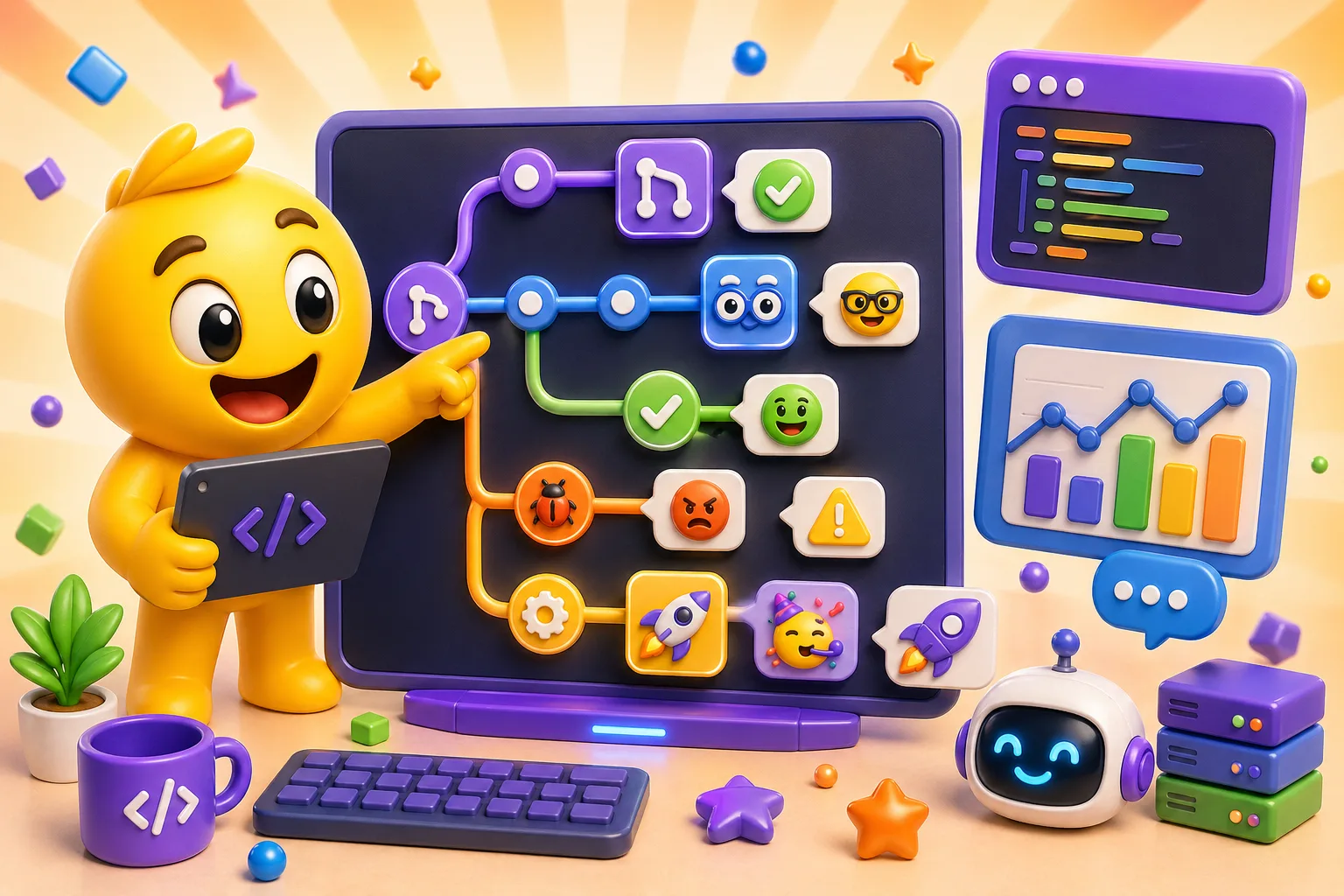
Developer Team Emojis (PR Status, Code Review, Deploy)
Essential custom emoji pack for dev teams: build status, code review reactions, deployment tracking.
Your dev team's Slack has 47 channels and 200 messages a day. Someone deploys to production. Someone else needs code review. A build fails. A critical bug appears. Standard emoji don't cover these situations, so everyone types out status updates that clog channels and get missed. A targeted custom emoji pack turns workflow updates into instant visual signals that the whole team understands.
Build and CI/CD status emojis
Your CI pipeline runs dozens of times a day. Instead of typing "build passed" or "tests are failing," a single emoji communicates the same information instantly. A green checkmark or rocket for passing builds, a red X or fire emoji for failures, and a spinning gear or progress bar for builds in progress. Name them :build_pass:, :build_fail:, :build_running: so they're instantly searchable.
Deployment status needs its own set. Deploying to staging is different from deploying to production, and your emojis should reflect that. A rocket with a yellow/orange background for staging deployments, a rocket with a green background for production. A broken rocket or explosion icon for failed deployments. A circular arrow or rewind icon for rollbacks. These let you track deployment history in your deploy channel without reading paragraphs of bot output.
Environment-specific markers help when you have multiple environments. Dev, staging, QA, production—each needs a visual identifier. Color coding works: gray for dev, yellow for staging, red for production. Or use letters: a "D" icon for dev, "S" for staging, "P" for production. When someone asks "is this on prod?" you can respond with just the emoji.
Code review workflow emojis
The classic "LGTM" (looks good to me) deserves its own emoji. A thumbs up with "LGTM" text, or a stamp that says "APPROVED," or a checkmark with a developer icon. Whatever matches your team's style. This emoji replaces the need to type approval comments when you've reviewed code and it's good to merge. Name it :lgtm: because that's what everyone will type first.
"Needs changes" or "request changes" emoji prevents ambiguity. A yellow caution sign, a wrench icon, or a circular arrow suggesting revision. This signals the PR needs work without requiring explanation in the moment. The detailed feedback goes in the actual review comments, but the emoji gives immediate status visibility.
The "eyes" emoji :eyes: or :reviewing: tells people "I'm actively looking at this." When someone posts a PR and you react with the eyes emoji, they know you've claimed the review and are working on it. This prevents duplicate reviews and clarifies who's responsible.
A "nit" emoji for minor, non-blocking comments is surprisingly useful. A small magnifying glass, a tiny wrench, or literally the word "NIT" in small letters. This signals "this is a minor style/syntax thing, not blocking approval." It sets expectations that the comment is informational or a suggestion, not a demand for changes before merge.
"Ship it" emoji celebrates code ready to merge. A ship, a rocket launching, or a package with a bow. This is the celebratory version of LGTM—not just approved, but enthusiastically approved. Teams with good culture use this for clean, well-tested PRs that solve problems elegantly.
Pull request status markers
"Ready for review" emoji indicates a PR is complete and waiting for reviewers. A flag, a bell, or a "READY" badge. Authors react to their own PR with this emoji when it transitions from draft to ready state. This is especially useful in teams where PRs get opened early for discussion but aren't ready for actual review until later.
"Work in progress" (WIP) emoji shows a PR is still being developed. A construction sign, a caution barrier, or "WIP" text. This prevents people from reviewing code that's not finished yet. When the author removes the WIP emoji and adds the ready emoji, reviewers know it's time to look.
Merge conflict emoji alerts everyone that the PR needs rebasing. A collision icon, two arrows pointing at each other, or a red warning triangle. GitHub/GitLab show merge conflicts, but having a dedicated emoji in Slack notifications makes the status more visible. Name it:merge_conflict: and let your CI bot auto-post it when conflicts are detected.
"Merged" emoji confirms a PR went in. A checkmark combined with a merge icon, or a celebration indicator. This appears in chat when PRs merge successfully, creating a visible log of what landed when. Over time, you can scroll your deploy channel and see exactly when specific features merged.
"Hotfix" emoji signals urgent priority. A fire extinguisher, a red alert icon, or "HOTFIX" in urgent-looking text. When a PR is marked with this, everyone knows to prioritize review. It cuts through normal queue and indicates production is impacted or about to be.
Bug and issue tracking
Critical bugs (P0, SEV1) need maximum visibility. A fire emoji, a red alarm, or an exclamation mark in a red circle. When someone reports a critical issue, they lead with this emoji and everyone knows to pay attention immediately. It's the visual equivalent of shouting, which is appropriate for production-down scenarios.
Minor bugs don't need alarm bells. A small ant or ladybug icon, or a band-aid symbol. This indicates "yes it's a bug, but it's not urgent." It prevents over-reaction to non-critical issues while still marking them as bugs rather than feature requests. Teams with good priority discipline use this to keep perspective on severity.
Feature requests get their own marker. A lightbulb for ideas, a star for something desired, or an upward arrow for enhancement. This differentiates "the system is broken" from "it would be cool if." Bug trackers separate these, but in chat, a visual distinction prevents feature ideas from being treated as urgent bugs.
Technical debt emoji acknowledges work that needs doing but isn't broken. An anchor dragging you down, a weight, or a credit card icon. When someone identifies code that "works but we need to refactor this eventually," the tech debt emoji tags it without implying urgency. It builds a backlog of known improvements.
Language and stack indicators
If your team works across multiple languages, language-specific emojis help people quickly identify what code is being discussed. A Python snake for Python, the JavaScript "JS" logo, the Rust crab, the Go gopher. These are recognizable symbols the dev community already associates with each language. Use the official mascots or logos when possible.
Framework indicators work the same way. React's atom icon, Vue's "V" logo, Angular's red shield. Django, Rails, Express—each has visual branding. When someone posts a question about a framework-specific issue, tagging it with the framework emoji helps people decide if they have relevant expertise.
Database type emojis distinguish backend discussions. A SQL table icon for relational databases, a leaf for MongoDB, a lightning bolt for Redis. When discussing data layer issues, the database emoji provides instant context about which system is involved. This prevents suggestions that don't apply to your actual database.
Cloud provider emojis matter for multi-cloud teams or teams migrating between providers. AWS orange smile, Azure blue window, GCP colors. Infrastructure discussions benefit from visual markers showing which cloud is being referenced. Especially useful when comparing costs or features across providers.
Team availability and status
On-call indicator shows who's currently responsible for incidents. A phone icon with a person, or a pager symbol for retro accuracy. The on-call person updates their Slack status with this emoji, or it gets auto-applied by on-call rotation tools. When something breaks, everyone knows who to notify.
Deep work or "do not disturb" emoji requests uninterrupted focus time. A brain icon, headphones, or a "shh" symbol. When someone's in deep work mode, they apply this emoji to signal they won't respond to non-urgent messages. This creates team culture that respects focused coding time.
"Available for questions" emoji signals openness to interruption. An open door, a waving hand, or a question mark with a checkmark. Senior developers or subject matter experts use this when they specifically have bandwidth to help others. It removes the guilt of interrupting someone who might be busy.
Pair programming indicator shows two people are collaborating. Two heads side by side, or two computer screens. This prevents double-booking people for meetings and explains why someone might not respond individually—they're in an active pairing session.
Incident response workflow
When an incident is declared, a siren or alert emoji marks the beginning of incident response. This posts to your incident channel and indicates active incident coordination is happening. It's the signal to join the incident channel if you're relevant to the response.
"Investigating" emoji tracks progress without constant text updates. A magnifying glass or detective icon shows the team is actively digging into the problem. This prevents constant "any updates?" questions—the investigating emoji is visible acknowledgment that work is happening.
"Fix deployed" emoji signals the patch is in production. A wrench combined with a checkmark, or a bandage on a wound. This doesn't mean the incident is over—you still need to verify the fix worked—but it marks the deployment milestone in your incident timeline.
"All clear" emoji declares the incident resolved. A green checkmark, a thumbs up, or a peaceful symbol. When this appears, everyone knows the incident is over, systems are stable, and normal work can resume. It also triggers the postmortem process.
Sprint and project management
Sprint start and end markers create rhythm. A starting pistol or "GO" for sprint start, a checkered flag for sprint end. These post to your team channel on the first and last day of each sprint, marking the cadence. Over time, scrolling back through emoji creates a visual timeline of sprint boundaries.
Retro emoji announces retrospective meetings. A mirror (for reflection), a backward arrow, or "RETRO" text. When this posts to the calendar channel, everyone knows it's time to discuss what went well and what to improve. Some teams do "retro reactions" where people pre-react with emoji to vote on discussion topics.
Story point emojis help with quick estimation in Slack. Number badges from 1, 2, 3, 5, 8, 13 (Fibonacci sequence). During async estimation or quick gut-checks, people react with story point emojis instead of typing numbers. This creates instant visual consensus or highlights disagreement when estimates vary wildly.
"Blocked" emoji tags tasks that can't proceed. A stop sign, a roadblock barrier, or chains. When someone's work is blocked by external dependencies or waiting on another team, the blocked emoji makes it visible. This prompts unblocking help or priority adjustment.
Naming conventions that work for developers
Use abbreviations developers actually say. LGTM, not "looks good to me." PR not "pull request." WIP not "work in progress." Your emoji names should match verbal shorthand. When someone types :pr, they should find PR-related emojis immediately.
Version control terminology should be exact. Use :merge:, :commit:, :push:, :branch: as names, not creative alternatives. These are technical terms with precise meanings. Using the correct terminology prevents confusion about what an emoji represents.
Avoid ambiguity in status emojis. Don't have :check1:, :check2:, :check3: where nobody knows which is which. Name them based on what they indicate: :approved:, :verified:, :tested:. Descriptive names mean people can find the right emoji without memorizing a system.
Make names machine-readable for bot integration. If your CI bot posts emoji based on build results, it needs to reference them by name. :build_pass: and :build_fail: can be programmatically selected based on success/failure. Creative or inconsistent names break automation.
Integration with bots and automation
CI/CD bots should auto-post status emojis. When your Jenkins/GitHub Actions/CircleCI integration posts to Slack, configure it to include relevant emojis. Build passed? Include :build_pass:. Deployment started? Include :deploying:. This turns bot spam into useful visual information.
GitHub/GitLab webhooks can trigger emoji reactions automatically. When a PR is opened, your bot can auto-react with :pr_opened:. When it's merged, auto-react with :merged:. This creates a visual workflow timeline without anyone manually adding emoji.
Slack workflows can use emoji as triggers. A workflow that watches for the :incident: emoji can auto-create an incident channel, notify on-call, and post the incident template. Emoji become UI buttons for automated actions. This is more elegant than slash commands for frequently-triggered workflows.
Implementation strategy: start small, expand based on usage
Begin with 10-15 emojis covering your team's most common workflows. Build status (pass/fail), code review (LGTM/needs changes), and deployment status (deploying/deployed) are universal. Get these into rotation first and see how the team adopts them.
After the core set is in daily use, add language and framework emojis based on your actual stack. If your team doesn't write Python, don't add a Python emoji. Tailor the emoji pack to your reality, not a generic checklist. This prevents clutter and keeps the emoji picker useful.
Gather team input through a survey or discussion. What workflows do people wish had visual shortcuts? What status updates happen repeatedly that could be emoji instead? The team using the emojis daily will have better ideas than whoever initially creates them.
Check Slack's emoji usage statistics monthly. Slack shows how many times each custom emoji has been used. If an emoji has zero uses after a month, remove it—it's dead weight. If an emoji gets used 500 times in a week, consider making variations or related emojis to support that workflow.
Common mistakes that reduce emoji effectiveness
Too many similar emojis cause confusion. If you have five different checkmark variations and nobody knows which means "approved" versus "tested" versus "deployed," you've created problems instead of solving them. Keep status indicators distinct both visually and conceptually.
Inside jokes that only founding team members understand become obstacles when you hire. New developers shouldn't need to learn secret emoji meanings. If an emoji represents something specific to your workflow, document it in your onboarding materials or make it self-explanatory through clear naming and design.
Overly detailed designs fail at the sizes Slack and Discord display emoji. That intricate circuit board icon you spent an hour perfecting? It's an unreadable blob at 22 pixels. Keep designs bold, simple, and high-contrast. Test at actual size constantly.
Forgetting to document what emojis mean creates friction. Maintain a pinned message or wiki page listing your team's custom emojis and their purposes. When someone asks "what does the anchor emoji mean?" in six months, they should be able to find out without asking someone who's been there longer.
A well-designed developer emoji pack turns status updates into visual communication, speeds up workflows, and reduces channel noise. Start with build status, code review, and deployment emojis, then expand based on your team's actual needs. Name them clearly, integrate with automation, and iterate based on usage. Create your dev team emoji pack here →


