Bit Badge Emote Design Best Practices
How to design Twitch bit badge emotes that look good at all tiers and reward viewer support.
You designed beautiful bit badges for your Twitch channel. They look amazing at 512 pixels in your design software. You upload them and check your channel. At 18 pixels next to usernames in chat, they're unrecognizable blurs. The detail you spent hours perfecting vanished. The tier progression you carefully crafted is invisible. Your badges fail at the only size that actually matters. Bit badge design isn't about creating beautiful art—it's about creating recognizable icons that work at the size of a punctuation mark.
Understanding Twitch bit badge specifications
Twitch displays bit badges at 18×18 pixels in most contexts. This is the size next to usernames in chat, where people actually see your badges. Twitch requires three versions: 18×18, 36×36, and 72×72 pixels for different display contexts and retina screens. The 18-pixel version determines everything—if your design doesn't work here, it doesn't work.
Bit badges use a tiered system: 1 bit, 100 bits, 1,000 bits, 5,000 bits, 10,000 bits, 25,000 bits, 50,000 bits, 75,000 bits, 100,000 bits, and potentially higher custom tiers. Each tier needs its own badge design showing clear progression. A viewer who cheered 10,000 bits should have a visibly more impressive badge than someone at 1,000 bits. This progression must be obvious at 18 pixels, which is the challenge.
File requirements are straightforward: PNG format with transparent backgrounds, each badge under Twitch's file size limits. The technical specs are easy. The design challenge is creating nine or more distinct badges that all work at thumbnail size, maintain visual consistency, and show clear progression from basic to premium.
Design principles for 18-pixel badges
Extreme simplification is non-negotiable. At 18 pixels, detail disappears. Fine lines vanish. Complex patterns blur into noise. You're working with roughly 324 total pixels to communicate meaning. Every pixel must contribute to recognition. Think icon, not illustration. A star shape, a crown, a gem—these simple forms work. An elaborate crest with fine detail doesn't. Design at large size, but constantly test at 18 pixels and delete anything that disappears.
High contrast determines visibility. Similar colors blend at small sizes. That subtle gradient you carefully crafted becomes a flat mid-tone. Dark blue on black background? Invisible. Light yellow on white? Can't see it. You need bold color separation—light versus dark, saturated versus desaturated. The badge must pop against Twitch's dark gray interface without straining eyes. If you squint at your badge from across the room and can't identify it, contrast is too low.
Recognizable silhouettes matter more than internal detail. When badges shrink to 18 pixels, the outer shape reads first. A distinctive silhouette lets viewers identify the badge before processing internal elements. This is why circles, shields, and crowns work—they have strong, recognizable outlines. Complex irregular shapes with lots of detail create ambiguous silhouettes that fail to communicate at distance. Start with silhouette, add detail second.
Tier progression strategies that work
Material progression uses universally understood value hierarchy. The 1-bit badge looks bronze or basic gray. The 1,000-bit badge shifts to silver or brighter colors. The 10,000-bit badge becomes gold. The 100,000-bit badge reaches platinum, diamond, or adds glow effects. This material metaphor communicates value instantly—everyone understands gold is more valuable than bronze. The progression needs no explanation because cultural conditioning does the work.
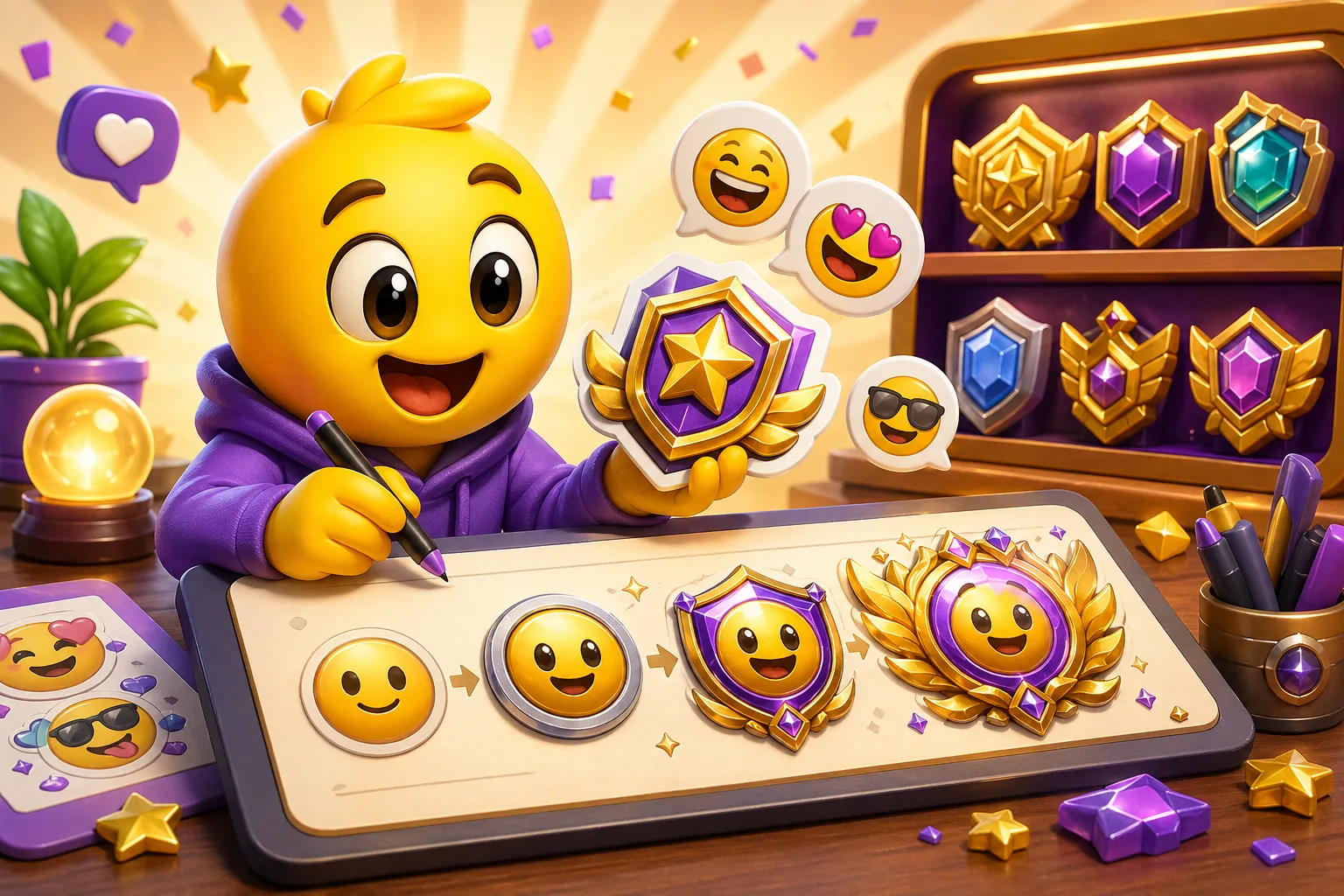
Additive complexity builds satisfaction through accumulation. Start with a simple shape—a circle or star. At 1,000 bits, add an inner detail or border. At 10,000 bits, add wings or secondary elements. At higher tiers, add glow, particles, or elaborate frames. Each tier visibly builds on the previous, creating a sense of progression and achievement. The 100K badge is clearly the 1-bit badge evolved to its final form, not a completely different design.
Color saturation and brightness progression uses visual weight. Low tiers use muted, desaturated colors—grays, dark browns, dim blues. Mid tiers shift to saturated primary colors—bright reds, pure blues, vivid greens. High tiers add luminosity—glowing edges, bright highlights, white accents. This creates perceived value increase through color psychology. Brighter, more saturated designs feel more premium than dull, dark ones. The eye naturally reads bright as important.
Common progression mistakes to avoid
Peaking too early leaves nowhere to go. If your 1,000-bit badge already looks final and polished—gold color, full detail, elaborate design—what do you do for 100,000 bits? You've already used your best visual language on a mid-tier. The result is either a 100K badge that doesn't feel more impressive than 1K, or a desperate attempt to add more that creates visual clutter. Reserve your premium design elements for top tiers. Start simpler than feels right.
Neglecting low tiers creates resentment. Most viewers will cheer between 1 and 1,000 bits total. If your 1-bit and 100-bit badges look like afterthoughts—ugly gray circles with no personality—you're disrespecting most of your supporters. Every tier deserves a competent design that people are proud to display. The low-tier badges should look good, just less elaborate than high tiers. Make the 1-bit badge something viewers want to earn, not something that feels like punishment for not spending more.
Inconsistent visual family breaks progression. If each tier looks like it came from a different designer, viewers can't see the connection. The 1K badge is a red star, the 5K badge is a blue shield, the 10K badge is a green gem—there's no coherent story. Progression should feel like evolution of a single concept, not random assortment of unrelated badges. Maintain consistent base shapes, color families, or thematic elements across all tiers so the family relationship is obvious.
Shape selection for maximum clarity
Circular badges are the safe, effective default. Circles read clearly at any size, work with Twitch's interface design, and provide natural progression opportunities through rings, fills, and internal elements. Most professional badge sets use circles as their base because they simply work. The disadvantage is lack of distinctiveness—many channels use circular badges. But if your goal is maximum clarity and proven success, circles deliver.
Shield and crest shapes communicate authority and achievement. They have gaming and heraldic associations that fit streaming culture. Shields provide natural internal structure for adding detail across tiers—divide the shield into sections, add banners, include crests. The challenge is shields have more complex silhouettes than circles, making them slightly harder to read at 18 pixels. They work, but require more careful design to maintain clarity.
Geometric shapes like hexagons, diamonds, or stars offer modern aesthetic with good recognition. A six-pointed star has strong silhouette. A diamond shape provides natural progression from rough to polished. Geometric badges feel contemporary rather than traditional. The key is choosing shapes with clear, bold outlines. Avoid overly complex geometry with too many sides or angles—these lose definition at small sizes.
Custom brand-specific shapes differentiate but require extra testing. Your channel's logo, mascot silhouette, or signature icon can work as badge shape if it's simple enough. This creates instant brand recognition. The risk is custom shapes are often too complex for 18-pixel display. Test exhaustively at actual size before committing to custom shapes. If your brand icon doesn't read clearly as a thumbnail, use it as an internal element within a simpler frame instead.
Color strategy for visibility and progression
Twitch's dark interface demands colors that pop against dark gray. Test your badges on Twitch's actual background color (roughly #18181b hex). Colors that look great on white backgrounds in Photoshop might disappear on Twitch. Bright, saturated colors work best. Avoid dark colors unless they have bright borders or highlights. Medium-value colors can work with high saturation. Always preview on dark before finalizing.
Brand color integration requires balancing identity with function. If your brand colors are dark purple and navy blue, you face a challenge—these don't pop against dark backgrounds. Solutions: add bright accents to your brand colors, use lighter tints for higher tiers, or embrace that low tiers use muted brand colors while high tiers get enhanced versions. Your brand colors can guide the palette without dominating at the expense of visibility.
Progression through color requires planning the full tier range upfront. Map out your color journey: 1 bit gets color A, 1K gets color B, 10K gets color C, 100K gets color D. Ensure even spacing between these colors so each tier is distinguishable. A common mistake is making 1-bit and 100-bit too similar, then jumping too far to 1K. Plan the full gradient before designing individual badges.
What actually reads at 18 pixels
Single bold shapes work reliably. A star, circle, crown, diamond, gem—these simple forms remain recognizable when shrunk. They have strong silhouettes and can hold color variation across tiers. Stars are especially effective because you can increase points, add inner stars, or create multi-layer stars as progression. A 1-bit badge with a 5-pointed star can become a 7-pointed star at 5K and an elaborate double-star at 100K.
High-contrast borders and frames create instant visibility. A thick white or bright border around your badge makes it pop against any background. The frame can evolve across tiers—simple circle at low tiers, ornate frame at high tiers. The border carries much of the recognition value at small sizes because it creates strong figure-ground separation. Two-pixel minimum border width at 18-pixel size.
Single letters or numbers in bold fonts read surprisingly well. A large "B" for bits, or the tier number itself (1, 100, 1K) in heavy typography works at 18 pixels. This approach is literal rather than metaphorical—viewers immediately understand what the badge represents. Combine letters with simple frames for progression: plain circle at 1-bit, fancy frame at 100K.
Gradients can work if they're bold and directional. Subtle gradients disappear. Diagonal gradients from dark to light with high saturation change can add depth without cluttering. Avoid complex multi-color gradients—these become muddy. Two-color gradients with strong contrast maintain some effect at small size. Radial gradients (center-to-edge) work better than linear for circular badges.
What fails at 18 pixels every time
Photorealistic details or textures become visual noise. That metallic texture with realistic highlights and shadows? At 18 pixels it's a blur of gray pixels. The wood grain background? Mud. The realistic gem with internal facets? A colored blob. Photorealism requires resolution you don't have. Stick to flat colors, simple gradients, and bold shapes. Accept that "realistic" and "readable at 18 pixels" are incompatible goals.
Thin lines disappear completely. A 1-pixel line at your design size becomes zero pixels when scaled down with anti-aliasing. Even 2-3 pixel lines can vanish or become inconsistent gray smudges. If line weight is important to your design, make lines thick—10+ pixels at design size. Test ruthlessly. If you're not sure whether a line will survive scaling, it won't. Make it thicker.
Multiple small elements create clutter. Five little stars around your badge? At 18 pixels they merge into unidentifiable dots. Text smaller than the main element? Unreadable. Multiple colors in small areas? Blurs together. One or two main elements maximum. Everything else is decoration that won't survive the journey to actual display size. Simplify ruthlessly until you have the absolute minimum elements needed for recognition.
Low-contrast color combinations fail visibility checks. Dark blue on black, light yellow on white, similar-value colors regardless of hue—these don't provide enough separation to remain distinct at small sizes. The contrast that looks acceptable at large size becomes invisible at 18 pixels. Test contrast with color-blindness simulators and extreme distance viewing. If either test fails, increase contrast.
Testing workflow for badge design
Design at 512×512 or larger for comfortable work, but export and preview at 18×18 constantly. Set up a second monitor or second window showing actual-size preview. Every design change gets immediately tested at display size. This constant reality-check prevents spending hours on details that won't render. The large version is your workspace; the small version is your guide. If something doesn't show at 18 pixels, delete it.
The squint test reveals silhouette clarity. View your badges from across the room while squinting. Can you still identify each tier? Can you tell them apart? If tier distinction disappears when you can't see detail, the progression relies too heavily on elements too small to work. Strong progression survives the squint test because it's built on shape, color, and scale changes rather than fine detail.
Mock up badges in actual Twitch chat context. Create a screenshot or mockup showing your badges next to usernames in chat, at actual size, on Twitch's dark background. This reveals real-world visibility issues you might miss in design software. Your badge shares space with text, other badges, emotes—does it hold its own? Does it create visual clutter or integrate smoothly? Realistic context testing catches problems abstract testing misses.
Test all tiers side-by-side at actual size. Put all nine+ badges in a row at 18 pixels and verify progressive improvement is visible. Can you instantly rank them from lowest to highest tier just by looking? If any two tiers look the same or if ranking is unclear, the progression failed. Each tier should be obviously different from adjacent tiers while maintaining visual family. Side-by-side comparison reveals progression gaps and redundancies.
Balancing tier rewards psychologically
The 1-bit badge should feel like a genuine achievement, not a placeholder. This is many viewers' only badge. Make it something they're happy to display. It doesn't need to be elaborate, but it should be competent, polished, and show that their support matters. A well-designed 1-bit badge makes viewers proud to be part of your community. A lazy 1-bit badge makes them feel like second-class supporters.
The 1,000-bit tier is where many viewers stop. They cheered during exciting moments, supported you consistently, and reached four digits. This badge should feel meaningfully better than 100 bits—a clear upgrade that rewards their support level. The 1K badge is where casual supporters land, so it represents your community to the largest group. Make it good. Give this tier special attention.
High tiers (10K+) are aspirational for most, attainable for some. These badges should look premium—they represent hundreds of dollars in support. But don't make them so elaborate they become unrecognizable. The highest tiers should be the most visually impressive without sacrificing clarity. Adding subtle glow, elaborate frames, or color richness works better than adding more small details. Make them feel rare and valuable.
The 100K+ badge is your ultimate achievement. This represents serious financial support and long-term community membership. It should be immediately recognizable as the top tier—the most visually striking, special, and polished. This is where you can push design further (while still maintaining 18-pixel clarity). The 100K badge becomes a status symbol. Make it worthy of that status.
Common successful badge concepts
Star progression is classic because it works. Start with a simple 5-point star at 1 bit. Make it 3D or add inner star at 1K. Change to gold color at 10K. Add glow and elaborate points at 100K. Stars have cultural association with achievement and quality (5-star ratings). They're instantly recognizable, scale well, and provide natural progression opportunities. Not creative, but effective.
Gem evolution communicates value through material. Gray rock at 1 bit shows rough beginning. Polished colored stone at 1K shows refinement. Brilliant cut gem at 10K shows quality. Diamond with sparkle effects at 100K shows premium tier. The metaphor is universal—rough to refined, common to precious. Gems work particularly well because they're compact shapes that read clearly at small sizes.
Crown or royal progression uses heraldic hierarchy. Simple bronze crown at low tiers. Silver/gold crown at mid tiers. Elaborate jeweled crown at high tiers. Royalty metaphors communicate rank naturally. The crown shape is distinctive and recognizable. This approach fits streaming culture's language around "kings" and "queens" of content categories. The visual metaphor aligns with community vocabulary.
Mascot evolution shows your brand character leveling up. Simple version of mascot at 1 bit. Mascot with accessories at 1K. Mascot with elaborate outfit at 10K. Ultimate form at 100K. This works when your brand has a strong character identity that viewers recognize and care about. The mascot approach creates emotional connection—viewers aren't just buying a badge, they're helping the character grow.
When to use animation
Twitch supports animated bit badges for partners. If you have access, animation can enhance tier progression—static at low tiers, animated at high tiers. The animation itself must be simple at 18 pixels. Subtle glow pulse, gentle rotation, sparkle effect—these work. Complex multi-element animation becomes visual noise. Animation should enhance recognition, not distract from it.
Reserve animation for top tiers only. If all tiers are animated, animation loses its premium feel. Make 100K tier animated while lower tiers stay static. This creates clear distinction and gives top supporters something genuinely special. Too much animation creates chat clutter—when every badge moves, the effect is chaotic rather than impressive. Selective animation maintains special status.
Test animated badges extensively for distraction. An animated badge that looks cool in isolation might be annoying when appearing 50 times in active chat. Fast animations create visual noise. Rapid color changes can be overwhelming. Subtle animations work better than dramatic ones for badges that appear frequently. The animation should be noticeable but not disruptive to reading chat.
Bit badge design succeeds when badges remain recognizable at 18 pixels, show clear progression across tiers, and make all supporters feel valued. Design at large size but test constantly at actual display size. Use simple shapes, high contrast, and bold colors. Plan your full tier progression before designing individual badges. Reserve your best visual elements for top tiers while keeping low tiers respectful and polished. Create your Twitch bit badges here →


